

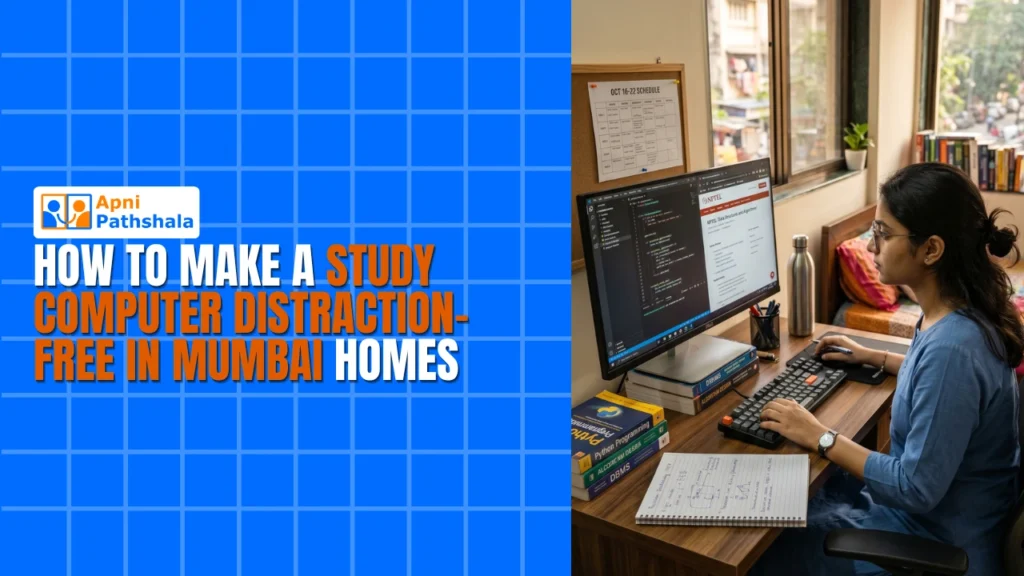
Mumbai parents face a real challenge: giving their child a computer for studies without opening the door to games, social media, and endless YouTube rabbit holes. Setting up a distraction-free computer Mumbai is not just about installing blocking software. It requires a thoughtful approach combining the right device, proper settings, and consistent habits.
A study computer Mumbai should serve one purpose: helping your child learn. When configured correctly, it becomes a powerful educational tool rather than a source of conflict. Here’s how to make it happen step by step.
Why a Distraction-Free Computer Mumbai Matters for Students?
Research consistently shows that multitasking reduces learning quality. When students switch between homework and social media, retention drops by up to 40%. A properly configured setup eliminates this problem by removing temptations before they appear.
Mumbai’s competitive academic environment makes focused study time even more critical. Whether your child is preparing for board exams, entrance tests, or daily homework, a safe computer Mumbai ensures every minute spent at the desk counts.
The goal is not to restrict your child permanently. It’s to build habits. Once focused learning becomes routine, you can gradually relax controls as your child demonstrates responsibility.
Step 1: Choose the Right Study Computer Mumbai
Hardware matters. A slow, unreliable device frustrates students and pushes them toward their phones, where distractions are harder to control. Your study computer Mumbai should boot fast, run educational software smoothly, and last for years without needing expensive upgrades.
Avoid cheap tablets or underpowered laptops. They struggle with video calls, educational apps, and multitasking between research and writing. A desktop computer offers better value at the same price point, larger screen, full keyboard, and easier maintenance.
At Rs.21,000 (shipping and GST excluded), What is Apna PC explains how purpose-built educational computers solve this problem. They come optimized for learning, with faster boot times and lower power consumption than generic budget machines.
Step 2: Set Up Parental Controls Mumbai Parents Trust
Every major operating system offers built-in parental controls. Use them. On Windows, set up a child account with screen time limits, app restrictions, and web filtering. On Chrome OS, use Family Link. These parental control Mumbai tools are free and effective.
Create separate user accounts: one for your child (restricted) and one for parents (unrestricted). This simple step prevents your child from installing games or changing system settings. It takes five minutes and saves hours of future arguments.
Set daily time limits. Two to three hours of screen time for studies is reasonable for most school-going children. The system automatically locks when time runs out, removing yourself from the role of enforcer.
Step 3: Block Distracting Websites and Apps
Social media, gaming sites, and video platforms are the biggest threats to focused study. Block them at the router level for whole-home protection, and also on the device itself for backup.
Free tools like Cold Turkey, FocusMe, or browser extensions let you create blocklists that activate during study hours. Schedule these blocks to match your child’s homework routine. A distraction-free computer Mumbai should automatically enforce focus during designated times.
Don’t forget to whitelist educational platforms. DIKSHA, Khan Academy, and your child’s school portal should always be accessible. The goal is to block noise, not learning resources.
Step 4: Create a Dedicated Study Space
Physical environment affects digital behavior. Place the study computer Mumbai in a common area, living room, dining room, or a dedicated study corner. Avoid bedrooms where supervision is difficult and temptation is high.
Good lighting, a comfortable chair, and a clutter-free desk make studying more pleasant. When the physical space signals “this is for learning,” your child’s mindset follows. A safe computer Mumbai in a well-designed study space is twice as effective as the same device in a bedroom.
Step 5: Establish Screen Time Rules
Technology alone cannot solve the distraction problem. Set clear rules: no personal devices during study time, no games before homework is complete, no social media until weekends. Consistency matters more than strictness.
Use the Pomodoro technique: 25 minutes of focused study, followed by a 5-minute break. During breaks, your child can stretch, grab a snack, or chat with family. This structured approach prevents burnout while maintaining discipline.
Review these rules regularly. As your child grows and demonstrates responsibility, gradually increase autonomy. The long-term goal is self-regulation, not permanent parental control.
Step 6: Monitor Without Hovering
Check your child’s browsing history weekly. Not to spy, but to understand their digital habits. If you notice gaming sites or social media during study hours, have a calm conversation about it. Punishment breeds secrecy; communication builds trust.
Many parental control Mumbai apps send weekly reports showing screen time breakdown, most-visited sites, and app usage. Use these reports as conversation starters, not evidence for lectures. A distraction-free computer Mumbai works best when paired with open communication.
Step 7: Lead by Example
Children mimic parents. If you scroll through your phone during family time, your child will too. Model the behavior you want to see. Put your phone away during meals. Read a book while your child studies. Show that focused time is a family value, not just a rule for kids.
Learn Beyond Curriculum shows how a personal computer opens doors to exploration and self-directed learning. When distractions are removed, students naturally discover the joy of learning.
Align With Digital India Initiative Goals
India’s Digital India initiative encourages digital literacy for all students. A focused study setup supports this vision by giving your child safe, focused access to online education resources while building computer skills.
Final Tips for Maintaining Your Distraction-Free Computer Mumbai
Review parental controls monthly. As your child grows, adjust restrictions gradually. Communicate openly about why certain sites are blocked. Trust and transparency work better than strict rules alone.
Keep software updated for security. A study computer Mumbai that gets hacked loses its focus quickly. Regular updates protect both your child and their learning environment.
Visit apnapc.com to learn more.