


When a child finishes school or online classes with time to spare, the right computer gives them educational activities that build real skills instead of just passing time. Apna PC comes pre-loaded with Scratch for coding, LibreOffice for writing, and a clean operating system that keeps learning central, not entertainment.
Why Educational Activities Matter for Your child’s Growth
Your child’s brain absorbs information fastest between the ages of 6 and 15, but only when learning is presented in ways that engage them. Traditional schooling covers the basics but cannot personalise learning to your child’s pace or interests. Educational activities that combine doing with learning help children retain what they discover far longer than passive reading or watching.
In Tier 2 and Tier 3 cities across India, parents face a real challenge. Quality coaching is expensive or unavailable. Online learning platforms exist, but they need good hardware. Most families either buy expensive laptops or settle for learning on small mobile screens. Apna PC is designed to solve this exact problem.
Apna PC: The Educational Computer Built for Indian Families
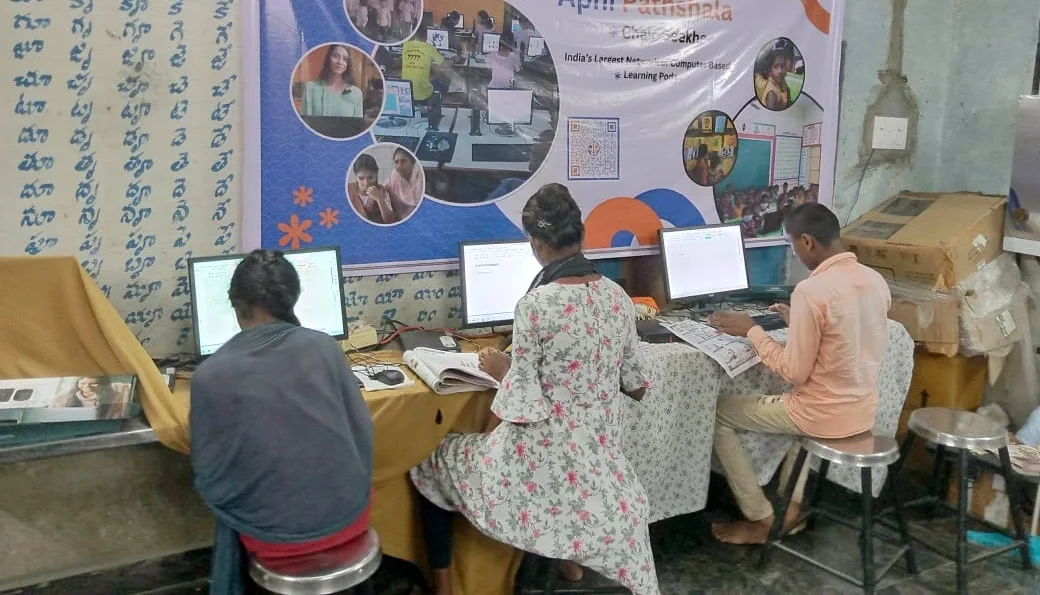
Apna PC is designed specifically for students who need structured learning activities without the distractions of a regular PC. At Rs.30,000 (shipping and GST excluded), it is affordable for families who want quality educational tools for their children. Here is what makes it effective:
- Zorin OS runs smoothly on the hardware, making it fast and responsive for learning activities
- 8GB RAM and 128GB SSD mean your child can run multiple educational programs without lag
- Apni Prerna lets you track your child’s learning progress without being intrusive
- LibreOffice teaches real productivity skills your child will use in higher studies
- Scratch introduces coding through visual, creative activities
Unlike tablets or mobiles, a proper computer teaches your child real digital skills: typing, file management, and coding basics. The Ministry of Education has made digital literacy part of the national curriculum, and Apna PC is built for exactly that.
Real Learning Activities Your child Can Do Right Now
Scratch programming is a popular starting point. Children create simple games, learn logic, and feel proud of their creations. This is not forced learning but genuine curiosity. LibreOffice is another productive activity: children can write stories and make presentations for school projects, which builds confidence alongside academic skills.
Educational activities on Apna PC include:
- Coding projects using Scratch that teach computational thinking
- Document creation and presentation skills using LibreOffice
- Online learning platforms accessed through the stable operating system
- Digital art and design projects
- Research and information gathering for school assignments
Your child can develop independent learning habits because Apna PC encourages self-directed exploration. The computer does not distract with notifications or ads. It is purpose-built for learning.
How Apna PC Supports Extracurricular Learning
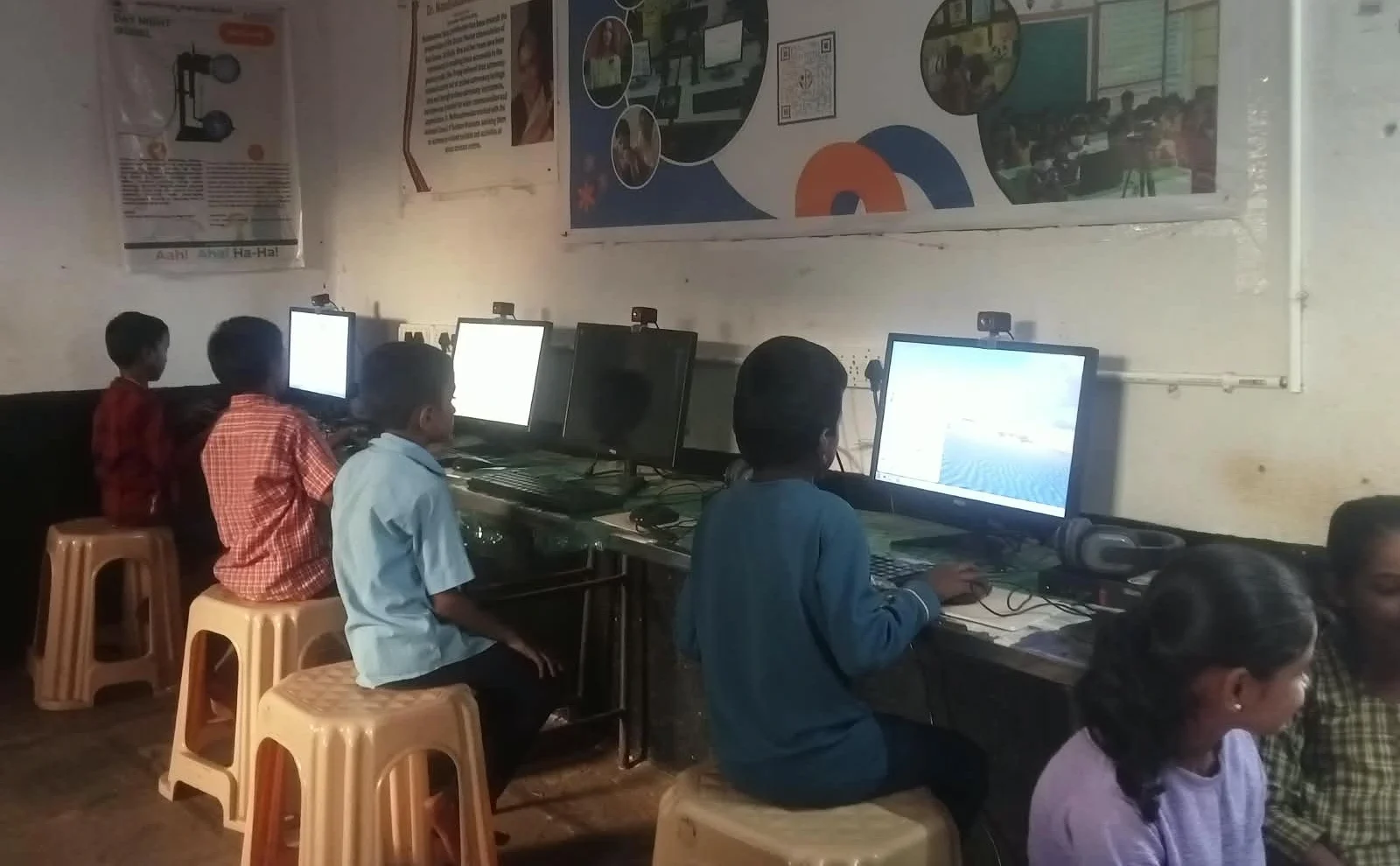
School teaches the curriculum, but real growth happens through extracurricular learning on a computer. Your child can explore coding, digital design, animation, and content creation. These skills are not just impressive for college applications. They are the actual skills employers want.
The gap between school education and workplace skills is widening in India. Apna PC helps bridge this gap by making advanced learning accessible at home. Children who spend their afternoons coding, creating presentations, and working on digital projects are building a foundation that classroom time alone cannot provide. For a broader view of how the device supports all types of learning, see what changes when Apna PC replaces passive screen use.
Affordable Quality for Your family’s Future
Rs.30,000 may seem like a significant purchase, but compare it to three months of good coaching classes, or to a basic laptop that comes with bloatware and distractions. Apna PC is an investment in your child’s digital literacy and practical skills. The pre-loaded software means you do not spend extra money on educational subscriptions. Zorin OS, Scratch, and LibreOffice are all included at no additional cost.
Your child gets a computer that is fast enough for real work, secure enough for a student, and focused enough for learning. See how Apna PC supports visual learners for more on the range of activities available. Visit apnapc.com to learn more.
Frequently Asked Questions
What educational activities can my child do on Apna PC straight away?
Your child can start with Scratch coding, LibreOffice document and presentation projects, and digital drawing right after setup. These tools are pre-loaded and require no additional downloads or subscriptions.
Is Apna PC suitable for primary school students as well as secondary students?
Yes. Scratch is widely used from Class 3 onwards, and LibreOffice is useful from Class 5. The clean Zorin OS interface is straightforward enough for younger students to navigate independently.
How does Apni Prerna help me know what my child is learning?
Apni Prerna is built into Apna PC and shows you which apps your child has used and for how long. You can check this from your phone or another device, giving you visibility without sitting beside your child the whole time.
Can my child use online learning platforms on Apna PC?
Yes. Apna PC runs Zorin OS, which supports all major browsers. Your child can access DIKSHA, Khan Academy, and other online platforms smoothly on the 8GB RAM configuration without freezing or slow loading.
Give your child a computer built for learning, not distraction. Visit apnapc.com to find out more about Apna PC.