

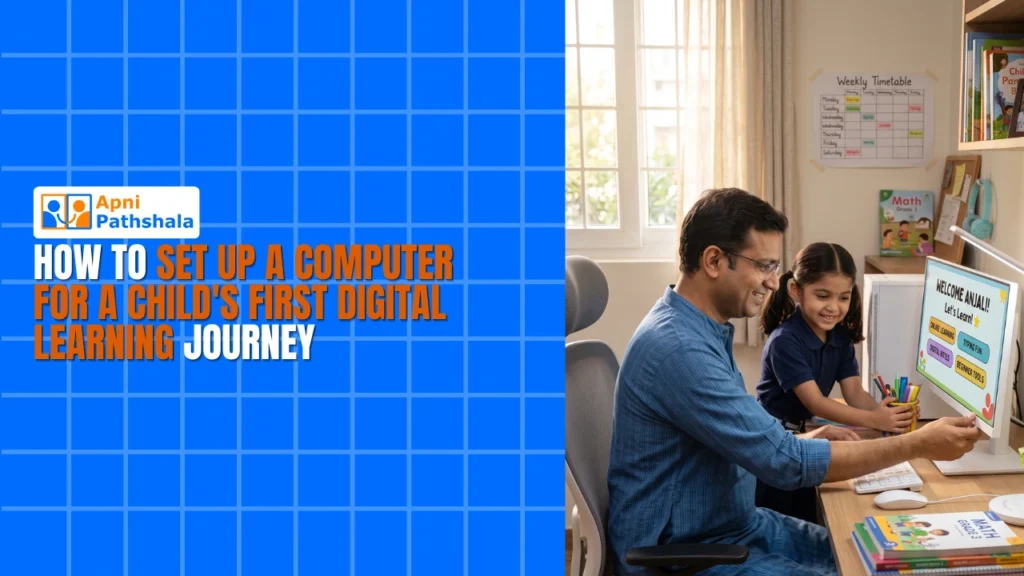
Setting up a computer for a child’s digital learning is about more than plugging in a device. The right software, a distraction-free environment, and a simple daily routine determine whether the computer becomes a learning tool or an entertainment device. Getting the setup right from the first day saves months of correcting bad habits later.
What Makes a Study Computer Different From a Regular Home Computer?
A study computer for a child should not have gaming software, social media shortcuts, or entertainment apps competing for attention. This is the single most important distinction. A regular home computer that the whole family uses will always have too many distractions for a child to use it effectively as a learning device.
Apna PC is configured from the start for learning. It runs Zorin OS with LibreOffice, Scratch, and Apni Prerna pre-installed. There are no games, no bloatware trials, and no notification systems pulling attention away from study tasks. The device is ready for school work from the first time it is switched on.
How Do You Choose the Right Location for the Study Computer?
The location matters as much as the hardware. Place the computer in a common area of the home, like a study corner in the living room or a designated spot in a spare room, rather than in the child’s bedroom. A visible location allows natural monitoring without active supervision.
Avoid placing the computer facing away from the room. When parents can glance at the screen while passing, it creates accountability without intrusion. A well-lit, low-noise corner with enough desk space for textbooks alongside the computer is the ideal physical setup.
- Common area rather than bedroom: easier natural monitoring
- Good lighting to reduce eye strain during long sessions
- Desk space for textbooks and notes alongside the screen
- No television or other screens in direct line of sight
What Software Should Be on a Child’s Learning Computer?
The essentials are a word processor, presentation software, and a code editor or beginner programming environment. Apna PC covers all three with LibreOffice and Scratch. Beyond these, a reliable browser for NCERT-aligned research and a PDF reader for digital textbooks rounds out what most school students need.
Many parents ask about additional learning apps. The honest answer is that adding more software often adds more distraction. Start with what comes pre-installed and only add specific tools if a teacher requests them for a particular subject. This approach also applies to building a learning lab at home around a computer rather than a large collection of devices and apps.
How Do You Set Up Monitoring Without Hovering?
Apni Prerna, built into Apna PC, tracks which subjects the child is working on and for how long. This gives parents a session summary after study time, so they can have an informed conversation about what was covered without interrupting the work itself.
Set a consistent study window, say 5 PM to 7 PM on school days, and check Apni Prerna after dinner. If the data shows the child spent most of the time on one subject, ask about the others. This kind of data-informed parenting is gentler and more effective than hovering. It is also one of the reasons a first computer for students should include monitoring built in rather than added as an afterthought.
What Does the First Week of Using the Study Computer Look Like?
In the first week, the goal is habit formation, not performance. Have the child open the computer at the same time each day. The first task should always be opening LibreOffice and typing the date and subject, which signals the start of a work session. Keep the first few sessions short.
By the end of the first week, the routine should feel expected rather than enforced. This is when the investment in a dedicated learning device starts to pay off. At Rs.30,000 (shipping and GST excluded), Apna PC is built to last through years of daily use. For more on building lasting digital habits, see how digital learning builds study habits over time.
Frequently Asked Questions
What is the first thing to do when setting up a computer for a child?
Remove or disable any apps or shortcuts that are not related to learning. On Apna PC this is already done for you. For other devices, go through each shortcut on the desktop and taskbar and remove anything that is not for school work. This single step reduces distraction more than any parental control software.
Should a child have their own login on the family computer?
Yes, if the family shares a computer. A separate login keeps the child’s school files organised and prevents accidental deletion of their work. It also makes it easier to apply different settings for the child’s account. Ideally, the child has a device of their own so access is never contested.
How do you know if the study computer setup is working?
The clearest signal is whether homework gets done in the agreed window without arguments. Secondary signals include the child voluntarily opening the computer for school-related work and showing progress in subjects. Apni Prerna session data gives an objective view of how the device is actually being used.
Setting up a computer correctly for a child’s digital learning pays off quickly in fewer arguments and more independent work. Apna PC removes most of the setup work by arriving ready to learn. Visit apnapc.com to find out more.