

Arjun uses ChatGPT to write his essays. He types the question, copies the answer, and submits it. He receives good marks. His teacher thinks he is a strong writer. He is not. He is a strong copy-paster. The AI wrote the essay. Arjun submitted it. He learned nothing.
His classmate, Priya, also uses ChatGPT. But she does not copy the answer. She asks it to explain the concept, then writes the essay herself. She asks it to check her grammar, then fixes the mistakes. She asks it to suggest better arguments, then she decides which ones to use. The AI assists. Priya decides. She learned how to think, write, and improve.
Same tool. Completely different outcomes. Arjun uses AI as a replacement for thinking. Priya uses AI as a tool for thinking better. The difference is not the tool. The difference is the workflow. AI tools for students are only as good as the workflow they are part of.
The Problem With Using AI as a Crutch

Most Indian students who use AI tools use them as answer machines. They type a question, get the answer, and submit it. They do not think about the answer. They do not evaluate it. They do not learn from it. The AI did the work. The student did the clicking.
This creates a dangerous illusion. The student gets good marks. The parent thinks the child is learning. The teacher thinks the student understands. But the student has not built any skills. They have built a dependency. The moment the AI is unavailable, they are helpless.
AI in education should enhance learning, not replace it. A student who uses AI to understand a concept is learning. A student who uses AI to avoid understanding a concept is cheating themselves. The tool is the same. The intention determines the outcome.
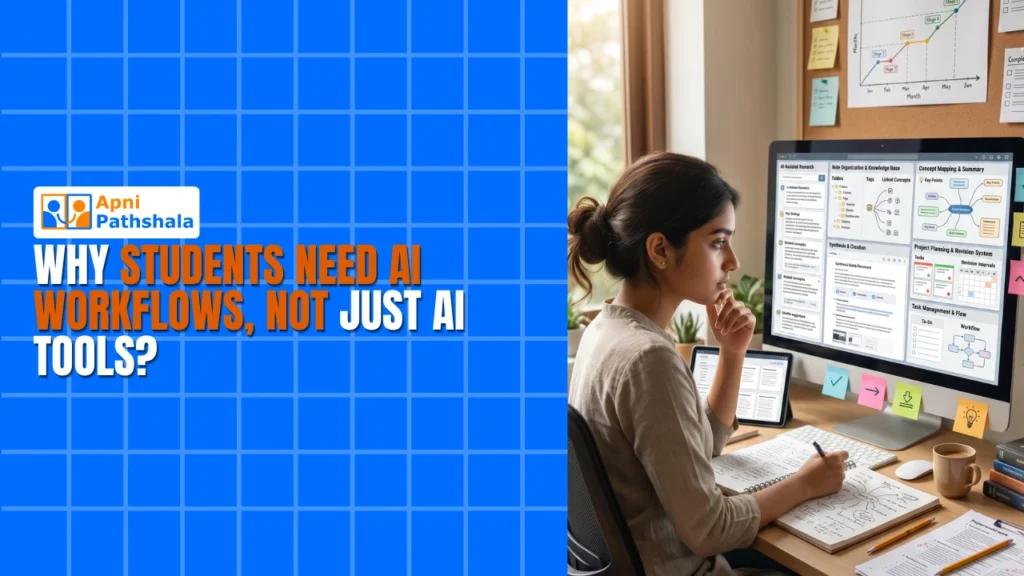
An AI workflow is different from just using AI tools. A workflow is a system. It has steps. It has checks. It has a purpose. The student uses AI at specific points in the learning process, not as a shortcut around the entire process.
UNESCO global education research has documented how technology enhances learning when used intentionally. AI is the most powerful learning tool ever created. But only when it is part of a workflow, not a replacement for one.
What an AI Workflow Looks Like for Students
An AI workflow is not about using AI for everything. It is about knowing when to use AI and when to think for yourself. A good workflow has three stages: learn, apply, and refine.
Learn: The student studies the material first. They read the textbook, attend the lecture, and try to understand on their own. If they get stuck, they ask AI to explain the concept. They do not ask AI to write the answer. They ask AI to help them understand. The AI is a tutor, not a copy machine.
Apply: The student does the work themselves. They write the essay. They solve the problem. They build the project. If they make mistakes, they ask AI to point out where they went wrong. They do not ask AI to fix the mistakes. They fix them themselves. The AI is a reviewer, not a ghostwriter.
Refine: The student improves their work based on feedback. They ask AI to suggest better approaches, stronger arguments, or more efficient solutions. They evaluate each suggestion and decide which ones to use. The AI is a consultant, not a decision-maker.
AI learning tools that follow this workflow build skills. The student learns to think, write, solve, and improve. The AI speeds up the process without replacing the learning.
How a Personal Computer Helps Students Learn Beyond the School Curriculum. But more importantly, it helps them learn how to use AI as a tool for thinking, not a replacement for thinking.
Why a Computer Makes AI Workflows Possible

A phone can access AI tools. But a phone is not the right device for serious AI workflows. The screen is too small for managing multiple documents. The keyboard is too slow for writing detailed prompts. The operating system does not support the multitasking that effective AI workflows require.
A computer makes AI workflows practical. A student can open an AI chat in one window, their document in another, and their research in a third. They can type detailed prompts, evaluate the responses, and apply the feedback in a seamless workflow. This is not possible on a phone.
The difference between using AI as a crutch and using AI as a tool often comes down to the device. A student on a phone is more likely to copy-paste because the device makes it easy. A student on a computer is more likely to engage with the AI because the device supports a proper workflow.
The Hidden Cost of Not Having a Computer in 2026. But the cost of using AI without a workflow is higher. A student who copies AI answers builds no skills. A student who uses AI as part of a workflow builds skills that compound over the years.
What Parents Should Do
If your child uses AI tools, do not ban them. Teach them how to use AI as part of a workflow. Show them the difference between asking AI to write an essay and asking AI to help them write a better essay. The first creates dependency. The second builds skill.
Give your child a computer. A screen large enough for managing multiple documents. A keyboard fast enough to write detailed prompts. Tools that support a proper AI workflow, not just copy-paste shortcuts.
Apna PC, priced at ₹21,000 (excluding shipping and GST), gives your child a device to use AI as a learning tool. Not a shortcut. A tool. Your child plugs it in and starts building proper AI workflows from day one.
Digital India initiative is pushing for digital and AI literacy across India. Give your child the device and the habits to use AI correctly. Visit apnapc.com to learn more.