


Raj’s Story: Why Neck Pain During Learning Sessions is Real
Raj, a 17-year-old from Delhi, spent eight hours yesterday leaning over his laptop preparing for his board exams. By evening, his neck felt stiff, his shoulders ached, and he couldn’t focus on chemistry anymore. This isn’t unusual.
Thousands of Indian students like Raj experience neck pain during study periods every single day, especially during exam season when screen time doubles or triples. The problem? Most students don’t realise that their posture at the computer while studying is slowly damaging their neck and spine.
Why Neck Pain Learning Sessions Happen to You
Your body wasn’t designed to sit in one position for six, eight, or ten hours straight. When you study for competitive exams, board exams, or online classes, you naturally lean forward toward your screen. This forward head position puts enormous strain on your neck muscles. Over time, this leads to tension headaches, shoulder pain, and chronic neck problems that can affect your academic performance.
The real issue starts small. You tilt your head slightly. Then you shift closer to your screen. Before you know it, your entire upper body is curved like a C. This bad computer posture becomes your default study position, and your neck pays the price.
Screen Height and Computer Posture: The Foundation

The most important factor in preventing neck pain during study sessions is getting your screen height right. Your monitor or laptop screen should be at eye level when youre sitting upright with your shoulders relaxed. If your screen is too low, you bend your neck downward. If it’s too high, you strain your neck upward. Neither option is comfortable or healthy.
Here’s what proper screen height looks like: when youre sitting naturally, your eyes should meet the top third of your screen. This means your neck stays neutral, not twisted or bent. For laptop users, this often means investing in a separate keyboard and mouse, or using a laptop stand to raise the screen to the correct level.
Study Ergonomics: Your Complete Setup
Study ergonomics goes beyond just screen height. Your entire study desk needs to support your body properly. Your chair should have good back support and allow your feet to rest flat on the ground. Your desk should be at elbow height so your arms form a 90-degree angle when typing. Your keyboard and mouse should be close enough that you dont have to reach.
Think about your study desk organisation too. Keep your textbooks, notes, and reference materials within arm’s reach. This reduces unnecessary stretching and twisting. When everything is organised properly, you can maintain good computer posture throughout your study session without constantly adjusting your position.
- Monitor position: Eye level, about 20-26 inches away from your face
- Chair height: Feet flat on the ground, knees at 90 degrees
- Desk height: Elbows at 90 degrees when typing
- Back support: Keep your lower back against the chair
- Shoulders: Relaxed, not hunched or raised
Taking Breaks: The Simplest Neck Pain Study Prevention
No matter how perfect your setup is, sitting still for hours will hurt your neck. You need to take regular breaks. Every 30 minutes, stand up and move around for two to three minutes. Gently stretch your neck by tilting your head side to side. Roll your shoulders backwards. Look away from your screen at something distant to relax your eyes.
These micro-breaks might feel like they waste study time, but they actually improve your focus and retention. Your brain works better when your body isn’t in pain. Plus, movement increases blood flow to your muscles and prevents the stiffness that can lead to chronic neck pain.
Strengthen Your Neck and Shoulders
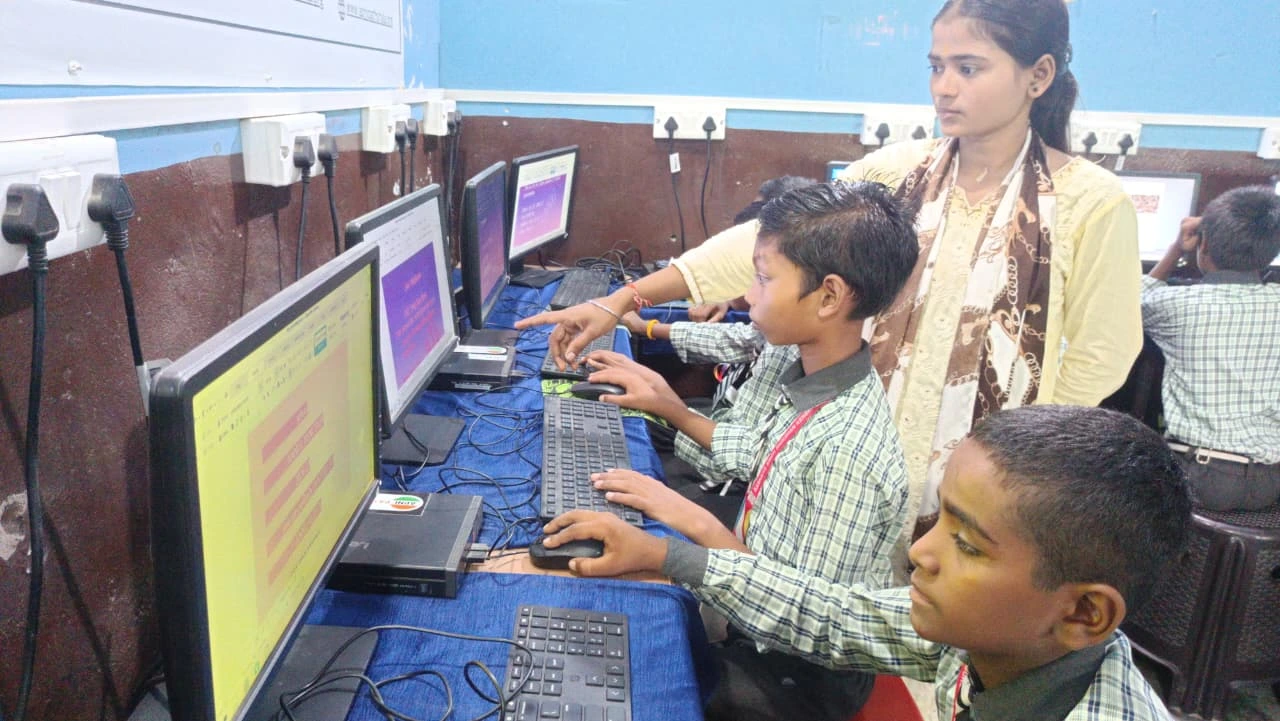
Prevention isn’t just about posture and breaks. You can actively strengthen the muscles that support your neck. Simple exercises take just five minutes daily. Neck stretches, shoulder rolls, and upper back strengthening exercises build endurance so your muscles can handle long study sessions without fatigue.
Weak neck muscles tire quickly, forcing you to compensate by leaning forward or hunching. Strong muscles keep your head upright naturally. This is especially important during exam season when your study sessions are longest and most intense.
Technology That Supports Better Study Ergonomics
The device you use for studying matters more than you think. A proper personal computer setup with a separate monitor, keyboard, and mouse makes maintaining good computer posture much easier than hunching over a laptop.
The Apna PC is designed specifically for Indian students like you. With 8GB RAM and 128GB SSD, it handles multiple study tabs, research, and exam prep software smoothly. At just Rs.30,000, it costs less than many laptops. More importantly, you can set up Apna PC with a monitor at proper screen height, a separate keyboard, and a mouse. This means your neck stays neutral while you study.
Apna PC comes pre-loaded with Zorin OS and helpful student tools through Apni Prerna. You get LibreOffice for documents and presentations, plus Scratch for learning coding. The system is built for students who need reliable, ergonomic study setups without breaking the bank.
Check your eye comfort settings in Zorin OS too. Reducing blue light and adjusting brightness reduces eye strain, which often contributes to neck tension. When your eyes are comfortable, you naturally maintain better posture because you’re not squinting or leaning closer to the screen.
Your Study Desk Organisation Matters
You can’t maintain good computer posture if you’re constantly reaching, twisting, or searching for things. Proper study desk organisation keeps your body in one comfortable position throughout your study session. Arrange your books, pens, notebooks, and reference materials in a logical order around your desk.
When everything has a place and stays within easy reach, you eliminate the small movements that add up to big neck strain. Your desk becomes an extension of your study routine, not a source of frustration and physical stress.
When to See a Doctor
If you’ve been experiencing neck pain during study sessions for more than two weeks despite improving your posture and taking breaks, consult a doctor. Persistent pain might indicate something that needs professional attention. Dont ignore it hoping it goes away. Early treatment prevents long-term damage.
Your school or college health centre can help. Many also have resources on the education portal about student wellness. Taking care of your physical health is just as important as studying hard.
Start Today: Your Neck Will Thank You
You dont need to wait for pain to get worse before making changes. Start today by adjusting your screen height, improving your posture at your computer, and taking regular breaks. These small changes compound over weeks and months, protecting your neck from the damage chronic neck pain from study habits can cause. Your future self will be grateful that you took action now instead of dealing with chronic pain later.
The Apna PC makes setting up an ergonomic study station affordable and simple. Visit apnapc.com to learn more.