

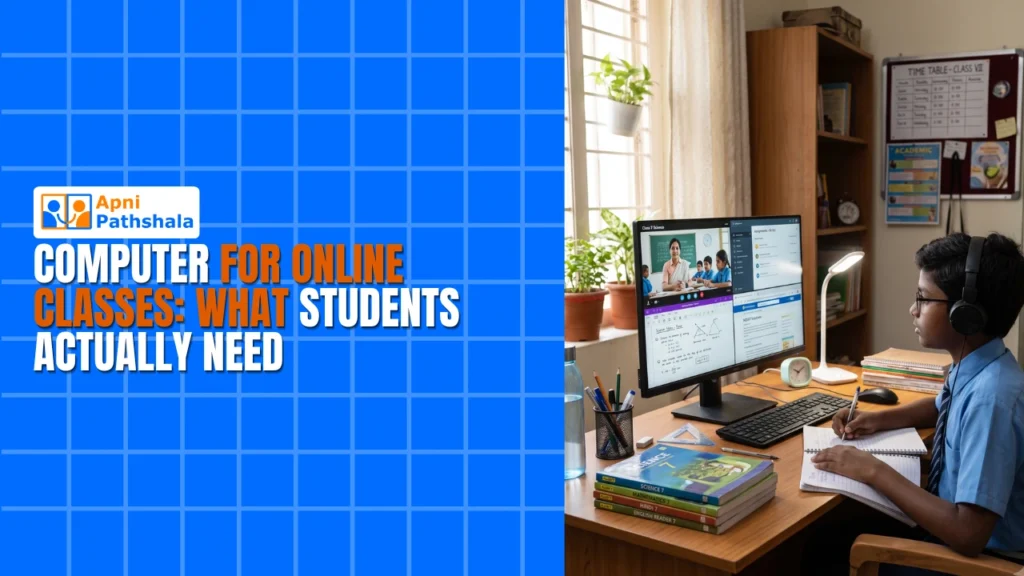
A computer for online classes needs 8GB RAM, a 128GB SSD, a decent quad-core processor and a comfortable 20-24 inch screen. It does not need gaming features. What matters most is smooth, uninterrupted performance during live classes, assignments and school portals.
For example, a child on an old shared laptop that freezes every five minutes can miss half a lesson waiting for the screen. A reliable dedicated computer solves that problem.
Why does your child need a dedicated online class computer?
A dedicated computer means your child can start class on time, every time. When a laptop is shared with the family, something tends to go wrong at the worst moment: someone is downloading files, the battery dies, or a sibling needs it for their own class.
Online classes demand reliability, because missing even 10 minutes can mean losing the thread of a lesson. With a dedicated online learning PC, there is no fighting over devices, no waiting for updates to finish and no worry about closing important tabs.
On a typical school day, your child may attend live classes on Google Meet or Zoom, open materials on the DIKSHA digital learning platform, submit assignments and watch educational videos. Each task needs a computer that does not lag, crash or distract with notifications. The India Ministry of Education website is a useful place to follow digital learning resources for students.
What specs should an online class computer have?
Your child does not need 16GB of RAM or the latest processor. The goal is steady performance for video calls, browsing and documents.
| Part | What to look for | Why it matters |
|---|---|---|
| RAM | 8GB | Runs browser tabs, video calls and documents together without slowdowns |
| Storage | 128GB SSD | Space for lessons, projects and assignments, with fast loading |
| Processor | Decent quad-core | Handles video calls and online platforms without freezing |
| Display | 20-24 inch screen | Comfortable for long study sessions and easier to read than a laptop |
| Software | Pre-loaded learning tools | Your child can start immediately without installations |
This is why Apna PC was built. At Rs.30,000, it is designed for Indian students who need reliability without paying for gaming features they will never use. It comes with 8GB RAM and a 128GB SSD for a full school day of work.
Does the operating system matter for online learning?
Yes. The operating system controls everything on the computer, and a simple, secure one keeps students focused. Apna PC uses Zorin OS, which is built for simplicity and is not Windows, and that is a strength for students.
Zorin OS is lightweight, so it runs fast on modest hardware. It is secure, so viruses and malware are less of a worry for schoolwork. LibreOffice comes pre-installed and opens the documents and spreadsheets your child needs for class. Read more about why Zorin OS suits student computers.
The Apni Prerna student monitoring tool is built in, so you can gently follow your child’s learning progress and screen time without being intrusive.
Is a desktop or a laptop better for online classes?
For daily online classes at home, a desktop usually works better. Our guide on why a desktop is better than a laptop for students covers this in detail.
- No overheating: laptops get hot and slow down after two hours of class, while a desktop stays cool and quiet.
- Longer life: laptops get knocked around, screens crack and keyboards wear out, while a desktop sits safely in one place for years.
- Bigger screen: less eye strain during a long day of classes.
- Better posture: a separate keyboard and mouse help when your child studies for six hours a day.
What software does your child actually use for online classes?
Mostly a browser, an office suite and a few learning tools. Apna PC comes with these pre-loaded, so nothing needs downloading or setting up.
LibreOffice handles documents, spreadsheets and presentations. Scratch teaches coding basics in a visual way that builds problem-solving skills. The Apni Prerna dashboard helps you follow learning without heavy-handed monitoring. School portals, DIKSHA and video calls all run through the browser without lag.
How do you choose the best computer for your child?
Choose the one that is reliable, fast enough for real schoolwork and built around your child’s needs, not the most expensive one. Our guide to the best computer for school students at home walks through the options.
You want something that will not let your child down during an exam or project submission, helps them focus, and lasts for years. For Rs.30,000, Apna PC gives a purpose-built student desktop with the specs that matter, the software that helps and no bloatware. If you are comparing prices, see our note on a budget computer for online learning.
Frequently Asked Questions
Can a cheap computer handle Zoom and Google Meet classes?
Yes, if it has the right basics. A computer with 8GB RAM, an SSD and a decent quad-core processor can run video calls smoothly. Problems usually come from too little memory, slow storage or a shared machine full of other programs, not from the price alone.
Does my child need Windows for online school?
Not usually. Online classes, school portals and DIKSHA run in a web browser, and Zorin OS includes LibreOffice for documents and spreadsheets. Most school tasks work the same way, and a lightweight, secure system can keep the computer fast and focused on learning.
Should siblings share one computer for online classes?
Sharing often causes clashes when classes overlap, and children end up missing parts of lessons. If two children have classes at the same time, a dedicated computer for at least one of them avoids the daily scramble and keeps both on schedule.
Your child deserves a computer designed for learning, not gaming or entertainment. Visit Apna PC to learn more about a study computer that fits your budget.