

Rajesh’s Dilemma: Why a Budget Laptop Wasn’t Enough
Rajesh sat in his small living room in Indore, staring at the laptop bill. His daughter Priya needed a computer for her Class 9 studies, and he’d just spent Rs.45,000 on a budget laptop from a local electronics store. The salesman promised it’d last years. Three months later, the keyboard started sticking. Six months in, the battery wouldn’t hold a charge. By month eight, the screen flickered constantly. Rajesh felt trapped. He couldn’t afford another device, and Priya’s studies were suffering.
This isn’t just Rajesh’s story. Thousands of parents in Tier-2 and Tier-3 Indian cities face the same problem every year. They buy a budget laptop thinking they’re saving money, only to discover hidden costs that drain their wallets. But what if there’s a better way? What if a student laptop designed specifically for learning could actually save you money over two years?
The Hidden Costs of a Budget Laptop Over Two Years
When you buy a cheap laptop for Rs.35,000 to Rs.50,000, you’re not just paying the sticker price. You’re signing up for ongoing expenses that most parents don’t see coming.
Hardware failures start early. Budget laptops use cheaper components. The hard drive fails. The battery degrades. The screen develops dead pixels. By year two, you’re looking at repair bills of Rs. 5,000 to Rs. 15,000. Sometimes the repair costs so much that buying a new device makes more sense.
Software costs add up quietly. Most budget laptops come with Windows, which requires antivirus software (Rs. 2,000 to Rs. s.5,000 per year), regular updates, and occasional paid software for schoolwork. Over two years, you’re spending Rs.8,000 to Rs.20,000 on software licenses and security tools.
Slow performance means wasted time. When your laptop takes five minutes to open, students get frustrated. Parents end up spending Rs.10,000 to Rs.20,000 on upgrades like extra RAM or an SSD to make it usable again.
No monitoring or safety features. Budget laptops don’t come with built-in parental controls. You’ll need to buy separate software (Rs. 3,000 to Rs. 8,000 per year) to keep your child safe online and to track their study time. Check out our guide on Apna PC vs parental control software to see the difference, and read our affordable computer guide for parents for more tips.
Let’s do the math. Your initial Rs.40,000 budget laptop actually costs you Rs.40,000 + Rs.15,000 (repairs) + Rs.14,000 (software) + Rs.15,000 (upgrades) + Rs.6,000 (monitoring software) = Rs.90,000 over two years. That’s more than double what you paid upfront.
What This Student Laptop Offers for Rs.30,000
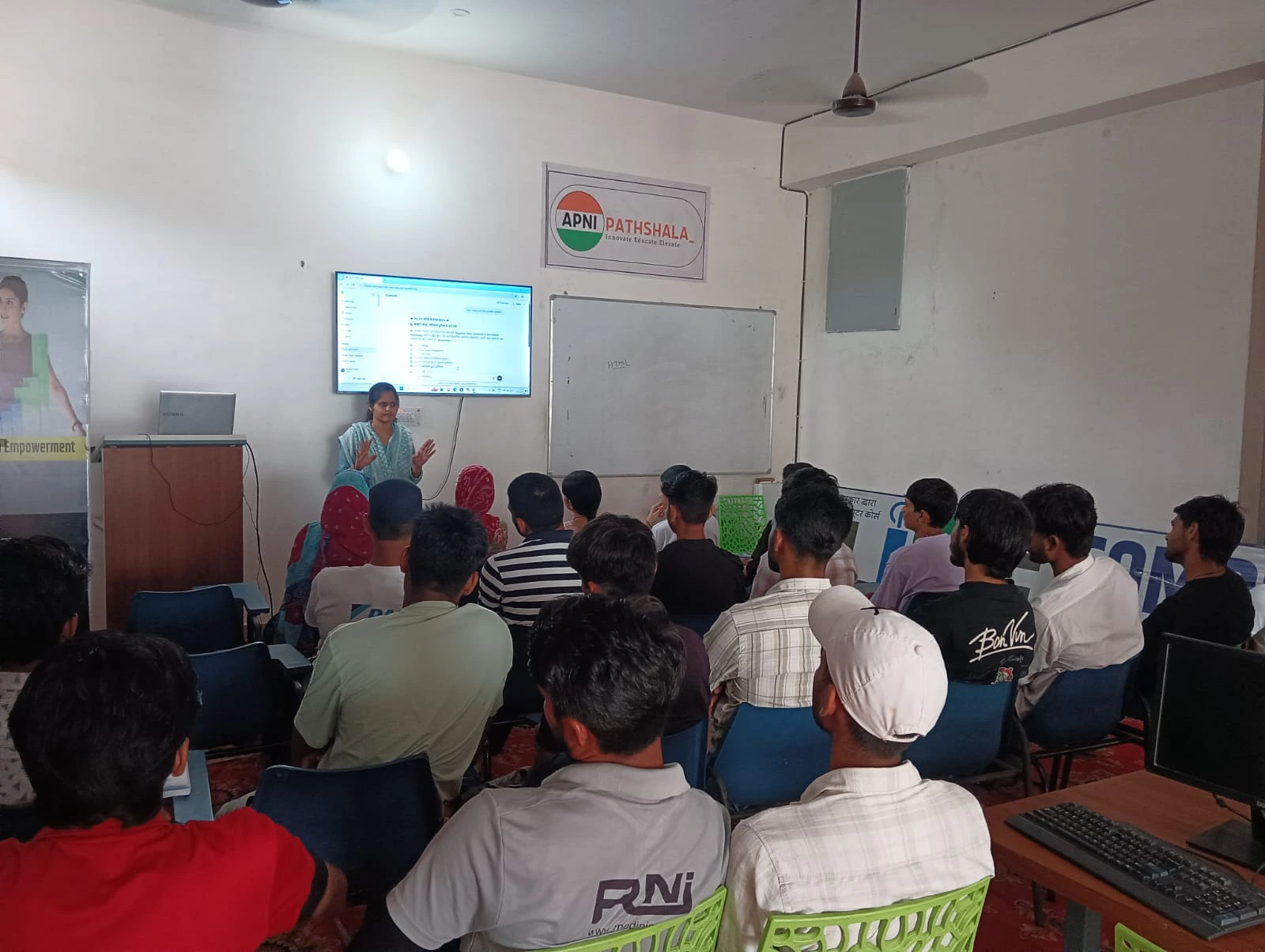
Apna PC is built differently. It’s an educational computer created by Apni Pathshala, specifically designed for students in Indian homes. Here’s what you get:
- 8GB RAM and 128GB SSD: Fast enough for schoolwork, video calls, and online classes without lag
- Zorin OS: A free, secure operating system that doesn’t need antivirus software or paid licenses
- Pre-loaded educational software: LibreOffice for documents and presentations, Scratch for coding basics, and Apni Prerna for monitoring
- Built-in parental controls: Apni Prerna lets you track study time, block distracting websites, and set screen time limits
- No recurring software costs: Everything you need is already installed and free
The price? Rs.30,000 (excluding shipping and GST). No hidden fees. No surprise costs in month six.
The Real Two-Year Cost Comparison
Budget Laptop Path: Rs.40,000 (initial) + Rs.50,000 (repairs, software, upgrades, monitoring) = Rs.90,000 total
Apna PC Path: Rs.30,000 (initial) + Rs.3,000 (occasional repairs or accessories) = Rs.33,000 total
You’re saving Rs.57,000. That’s enough to pay for your child’s entire year of tuition or buy a tablet for backup learning.
But the savings aren’t just about money. Apna PC comes ready to use. No setup hassles. No installing software. Your child starts studying on day one. The built-in Apni Prerna monitoring tool means you know exactly how much time Priya’s spending on studies versus games. You’re not buying separate parental control software. It’s all included.
Why This Study Computer Makes Sense for Indian Families
A study computer isn’t the same as a regular budget laptop. It’s designed with one goal: helping your child learn safely and efficiently. Apna PC understands the Indian context. Most families in Tier 2 and Tier 3 cities have limited budgets. The internet can be spotty. Parents need to monitor what their kids are doing online. Regular laptops force you to solve these problems separately, spending money at each step.
Apna PC solves them together from day one. You’re not paying for gaming graphics or unnecessary features. You’re paying for what matters: reliability, security, educational software, and parental peace of mind.
This aligns with India’s push toward digital learning. The Digital India initiative aims to bring affordable technology to every household. Apna PC is exactly the kind of device that makes this possible for families who can’t afford Rs.80,000 or Rs.100,000 laptops.
Real Questions Parents Ask About This Student Laptop
Will it handle online classes? Yes. Zoom, Google Meet, and YouTube all run smoothly on Apna PC. 8GB RAM and a solid SSD mean no freezing during important classes.
What about gaming? Apna PC isn’t a gaming machine, and that’s intentional. It’s designed to keep your child focused on studies. If your child needs a gaming laptop, that’s a different purchase. But for school, coding, research, and projects, it’s perfect.
Will it become outdated? Not quickly. Zorin OS is lightweight and efficient. It’ll run smoothly even in year three or four. Compare this to budget Windows laptops that slow down dramatically after a year.
What if something breaks? With this student laptop, you’re still ahead financially. Even if you need a repair in year two, you’ve already saved Rs.40,000 compared to the budget laptop path. Apna PC uses standard components that any local technician can fix without proprietary parts or expensive service centres.
Choosing the right student laptop doesn’t have to be overwhelming. By prioritising reliability, safety, and total cost of ownership, you can find a device that supports your child’s education without draining your savings. Apna PC gives you everything a student needs and nothing they don’t. Visit apnapc.com to learn more.