

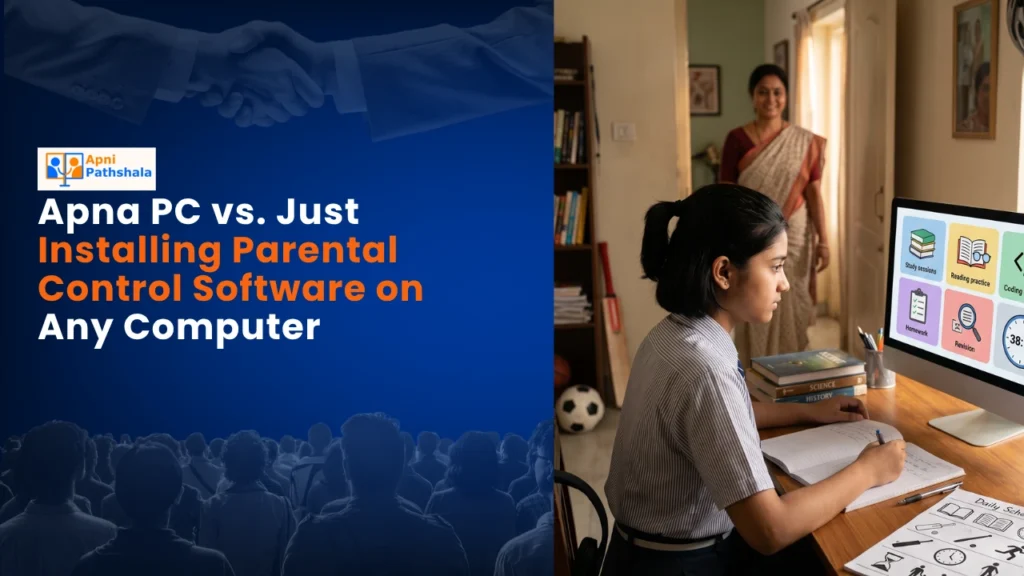
Meera’s Dilemma: Why a Parental Control App Wasn’t Enough
Meera sat in her Indore kitchen, watching her 10-year-old son Arjun stare at the family laptop for the third hour straight. She’d installed three parental control apps, set screen time limits, and blocked every gaming site she could find. Yet something felt wrong. Arjun wasn’t learning anything useful. The Apna PC vs parental control software debate is one every Indian parent faces, and Meera was living it.
You’re probably thinking: “I can just buy any computer and add parental control tools.” That sounds simple, right? But here’s the truth that most parents in tier 2 and tier 3 cities discover too late. Generic parental control software is like putting a lock on a candy store. It stops your child from getting candy, but it doesn’t teach them why vegetables are better.
What Parental Control Software Actually Does (And Doesn’t)
Traditional parental control tools work by blocking, monitoring, and restricting. You set rules. Your child finds workarounds. They use their friend’s phone. They clear browser history. They learn to disable notifications. The software becomes another battle in your home, not a solution.
Here’s what these tools typically offer:
- Website blocking: Stops access to social media, gaming sites, and other distractions. But your child can use mobile data or a friend’s device.
- Screen time limits: Cuts off the computer after X hours. Your child gets frustrated and bored instead of engaged in learning.
- Activity monitoring: Tracks what your child does online. This creates distrust, not discipline.
- App restrictions: Prevents installation of certain software. But it doesn’t guide your child toward useful applications.
None of these features teaches your child why they should avoid distractions or how to use technology for real learning. They’re band-aids, not solutions. And they certainly don’t address the bigger issue: what should your child actually be doing on a computer?
Why Apna PC vs Parental Control Software Is Not Even Close
Apna PC is fundamentally different. It’s not a regular computer with restrictions added on top. It’s an educational computer designed from the ground up for school students in India. At Rs. 30,000 (shipping and GST excluded), it comes preloaded with tools that matter for learning.
Let’s look at what you get with Apna PC:
- Zorin OS: A child-friendly Linux operating system that’s clean, distraction-free, and secure. No bloatware. No unnecessary apps tempting your child.
- Apni Prerna: Student monitoring software that’s transparent. You see what your child is learning, not just what they’re watching. It’s about guidance, not spying.
- LibreOffice: Professional-grade tools for documents, spreadsheets, and presentations. Your child learns real productivity skills.
- Scratch: Programming software that teaches coding through visual blocks. Your child creates games and animations, not just consumes content.
- 8GB RAM and 128GB SSD: Smooth performance for schoolwork, research, and creative projects.
The difference is this: Apna PC doesn’t stop your child from learning. It guides them toward learning. You’re not fighting against the computer. You’re using it as a partner in your child’s education. Many parents also find it helpful to read about how children adjust to Apna PC’s safety features before making the switch.
Apna PC vs Parental Control Software: The Real Comparison
When you compare Apna PC vs parental control software, you’re really comparing two philosophies. One says “prevent bad things.” The other says “enable good things.”
With generic parental control tools on any computer, you’re constantly playing defense. Your child finds new ways around the restrictions. You add more rules. The relationship becomes adversarial. Meanwhile, the computer itself is full of distractions waiting to be discovered.
With Apna PC, the distractions aren’t there to begin with. The operating system is designed for focus. The pre-loaded software is designed for productivity and learning. Apni Prerna monitors progress toward educational goals, not just screen time. You’re not managing restrictions. You’re nurturing growth.
Think about how Apna PC compares to Kids Mode on regular devices. Kids Mode is a sandbox. Apna PC is a classroom. One locks your child in. The other opens doors to real learning.
Why Tier 2 and Tier 3 Cities Need This Approach
Parents in smaller Indian cities face unique challenges. Internet quality is inconsistent. Technical support for computer issues is harder to find. Schools are increasingly moving online, but not all students have reliable devices for learning. Your child might be sharing the family computer with adults, competing for access, and encountering inappropriate content.
A child-safe computer like Apna PC solves these problems directly. It’s built for Indian conditions. It’s affordable. It comes with monitoring software that works even on slower internet connections. And it’s designed specifically for the school curriculum that your child is studying.
When you’re setting healthy screen time limits for your child, you need a device that supports that goal, not one that fights against it. Apna PC helps you establish boundaries that your child understands and accepts because the computer itself is designed around learning, not entertainment.
The Cost of Getting It Wrong
Here’s what happens when parents rely only on parental control software on a regular computer. Your child learns to bypass restrictions. They develop a combative relationship with technology instead of a productive one. They waste hours on the computer without actually learning anything valuable. And you spend countless evenings arguing about screen time and deleted browsing history.
Meera’s story didn’t end with frustration. After she switched to Apna PC, things changed. Arjun started using Scratch to build projects. He used LibreOffice for his school assignments. Apni Prerna showed Meera what he was working on, and they had a conversation about his learning rather than arguing about his screen time. The parental control software was gone, but Meera actually had more peace of mind because the computer itself was designed to support her values.
According to research and guidelines from the Ministry of Education on education in India, digital literacy and access to appropriate learning tools are critical for students. Apna PC aligns with these goals by providing a device that supports real educational outcomes.
Making Your Decision
When you’re choosing between Apna PC and just adding parental control software to any computer, ask yourself this: Do you want to fight your child’s device, or partner with it? Do you want to restrict access or guide learning?
Parental control tools have their place, but they’re not enough on their own. A learning-focused computer is a different category entirely. It’s an investment in your child’s education, not just an expense on a device.
Your child spends hours every day on a computer for school. That device should be designed to support their growth, not just prevent their distraction. Apna PC does that. It’s built for students like yours, in cities like yours, with challenges like yours. You don’t have to choose between giving your child technology and protecting their focus. With Apna PC, you get both. Visit apnapc.com to learn more.