

Ever Watched a Kid Try to Use Windows for the First Time?
It’s chaos. Genuinely.
They click the wrong thing. A popup appears. They panic. They close everything. Then somehow they’ve opened three browser tabs, a settings window, and something called “Device Manager” that looks terrifying even to adults.
Windows wasn’t built for kids. It was built for offices. And when you put a student in front of it, especially one who’s never used a computer before, it feels like handing them the controls of an airplane and saying “figure it out.”
That’s exactly why Apna PC doesn’t use Windows. It uses Zorin OS. And the difference is night and day.
What Even Is Zorin OS?
Zorin OS is a Linux-based operating system designed to be simple, clean, and incredibly easy to use. If you’ve never heard of it, don’t worry. Most people haven’t. But once you see it in action on a student’s computer, you’ll wonder why everyone isn’t using it.
Here’s what makes it different from Windows or macOS:
It’s fast. Really fast. Even on older hardware, Zorin OS boots up in seconds. No waiting around staring at a loading screen while your child loses interest and picks up their phone instead.
It’s clean. The desktop isn’t cluttered with ads, promotions, or random Microsoft suggestions. It’s just a simple workspace where everything is easy to find.
It’s free. No license costs. No annual subscriptions. No “your Windows is about to expire” warnings popping up during homework time.
And most importantly for students, it comes loaded with educational software right out of the box.
The Interface a Child Can Actually Understand
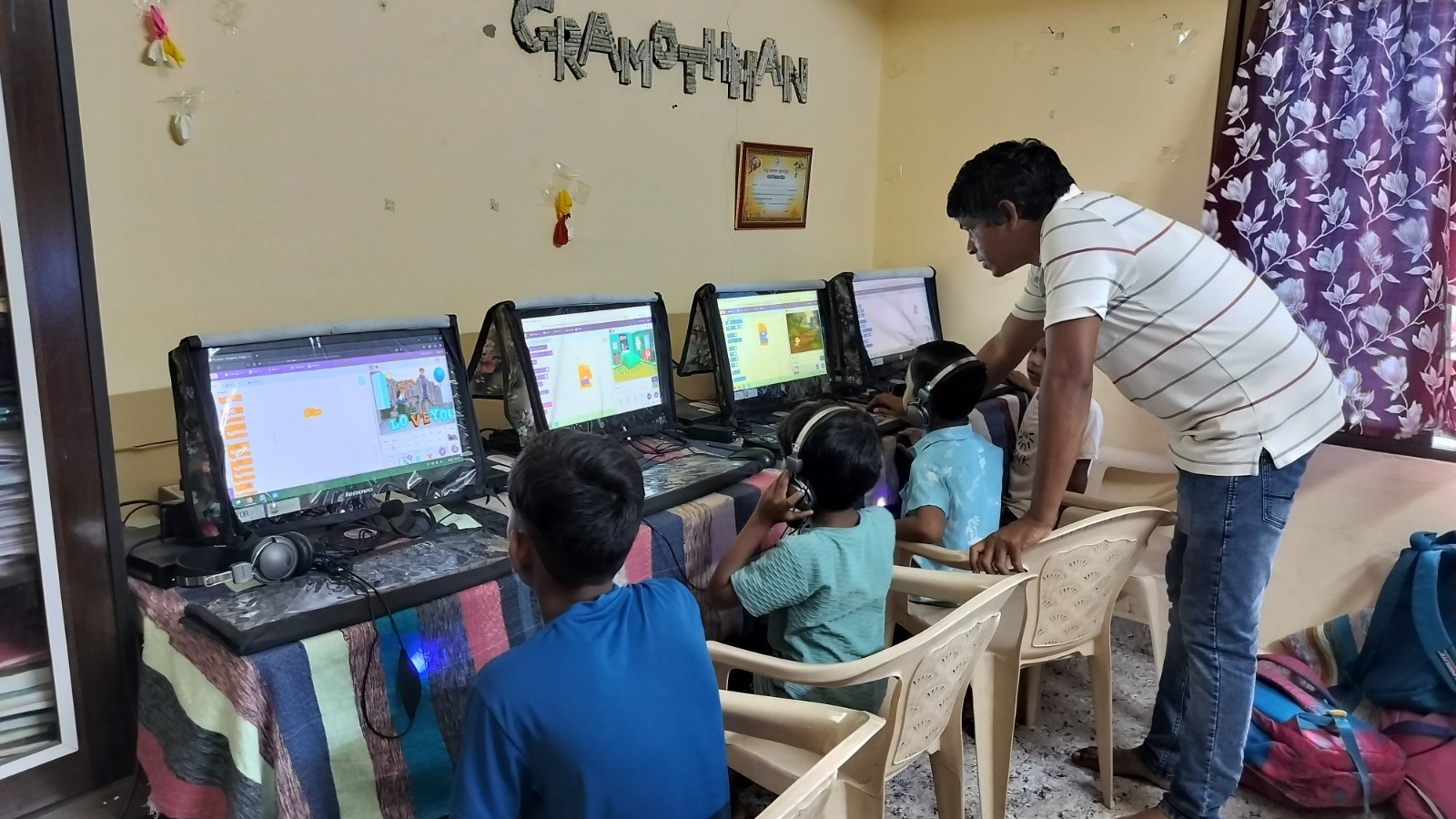
Zorin OS looks familiar enough that anyone can use it. The layout is intuitive. There’s a taskbar at the bottom, a simple start menu, and folders that make sense. A student in Agra who’s never touched a computer can sit down and start navigating within minutes.
Compare that to Windows 11, where even adults get confused by the settings menu. According to UNESCO’s guidelines on educational technology, the interface of a learning device should reduce barriers to entry, not create them. Zorin OS does exactly that.
Preloaded Software That Actually Matters
This is where things get interesting. When you set up a Windows computer, you get… Solitaire. Maybe Edge browser. That’s about it. Everything else, you have to download, install, and often pay for.
Zorin OS on Apna PC comes ready to go with:
LibreOffice for documents, spreadsheets, and presentations. It does everything Microsoft Office does, minus the price tag.
Tux Paint for younger kids who want to draw and create digital art.
Scratch for learning programming through visual blocks. Kids can build games, animations, and interactive stories.
GCompris with over 100 educational activities for students of different ages.
Firefox for safe web browsing and accessing online learning platforms.
Every tool a student needs for school, projects, and self learning is already installed. No setup headaches. No credit card required.
No Viruses, No Bloatware, No Drama
Let’s talk about something every Windows user knows too well. Viruses. Malware. Suspicious downloads. Random toolbars that appear from nowhere.
Linux based systems like Zorin OS are fundamentally more secure. The architecture makes it extremely difficult for malware to take hold. Parents don’t need to install expensive antivirus software or worry about their child accidentally downloading something dangerous.
For a family that isn’t particularly comfortable with technology, this peace of mind is worth everything. According to NCERT’s ICT integration framework, student devices should prioritize safety and minimal maintenance. Zorin OS checks both boxes effortlessly.
Performance on Older Hardware
Here’s the real magic. Zorin OS runs beautifully on computers that Windows would choke on. A machine with 2GB of RAM that would take five minutes to boot Windows? Zorin OS has it ready in under a minute.
This is crucial because refurbished computers are the future of affordable education. You don’t need the latest hardware to give a student a great learning experience. You just need the right software.
Apna PC pairs quality refurbished hardware with Zorin OS to create machines that feel new, run smooth, and last for years. A parent spending a fraction of what a new laptop costs gets a computer that does everything their child needs.
Why This Matters for Indian Students Specifically
India has millions of students who need computer access but can’t afford premium devices. Zorin OS makes it possible to turn older hardware into powerful learning machines. No licensing costs mean schools and families save money. Preloaded educational tools mean kids start learning immediately.
It’s not just an operating system. It’s the reason Apna PC can support different learning styles without asking families to spend more. The software handles the heavy lifting so the child can focus on what actually matters: learning, creating, and growing.