


The Story of Rahul’s Computer Dilemma
Rahul’s mother sat in their Indore living room, staring at a laptop advertisement promising 16GB RAM for Rs. 45,000. Her son had just finished tenth standard, and she believed more RAM for students always meant a faster computer for his engineering entrance preparation. “More RAM means a faster computer, right?” she asked the shopkeeper. He nodded enthusiastically. But when Rahul brought the laptop home, he noticed something strange – it still felt slow when he opened multiple browser tabs for his online classes. The problem wasn’t the RAM. It was something else entirely.
This is a common story in Indian households across tier 2 and tier 3 cities. Parents believe that more RAM automatically solves every performance problem and will last their child through college. But here is the truth: RAM is just one piece of the puzzle. Your student’s computer performance depends on many factors, and blindly upgrading RAM won’t always improve results.
Understanding What RAM for Students Actually Does
Random access memory is the temporary workspace your computer uses while running programs. Think of it like your study desk. A bigger desk doesn’t mean you study faster or better. What matters is how you organise your books, pens, and notes on that desk. Similarly, 8GB RAM is enough for most student tasks like online classes, document editing, web browsing, and coding practice.
When you open Google Meet for online lectures, use LibreOffice for assignments, and browse educational websites, you are typically using 3-4GB of RAM at most. Adding more RAM beyond this doesn’t speed up these tasks. Your computer still takes the same time to load a webpage or compile code. The extra RAM sits idle and wastes your money.
What Actually Slows Down Your Student Computer
The real culprits behind slow computer performance are different. Here are the actual performance bottlenecks you should worry about:
- Slow Storage: An old hard disk drive (HDD) is the biggest speed killer. When your computer searches for files or launches applications, a slow HDD makes everything feel sluggish. Upgrading to an SSD (solid-state drive) gives you 10 times faster performance than RAM upgrades.
- Bloated Software: Pre-installed junk software and unnecessary background programs consume both RAM and processing power. A clean operating system with only essential applications runs faster than one with 50 bloatware programs.
- Poor Processor: The CPU (central processing unit) is your computer’s brain. A weak processor cannot handle multiple tasks efficiently, no matter how much RAM you have.
- Inadequate Cooling: When your computer overheats, it automatically slows down to protect itself. This throttling reduces performance more than any RAM shortage would.
- Outdated Operating System: Running heavy operating systems on limited hardware creates bottlenecks that RAM cannot fix.
Notice that RAM doesn’t appear anywhere in this list as the primary problem. Yet most parents focus entirely on RAM when choosing a computer. This is the biggest misconception about computer RAM for students.
The Real Performance Formula for Student Computers
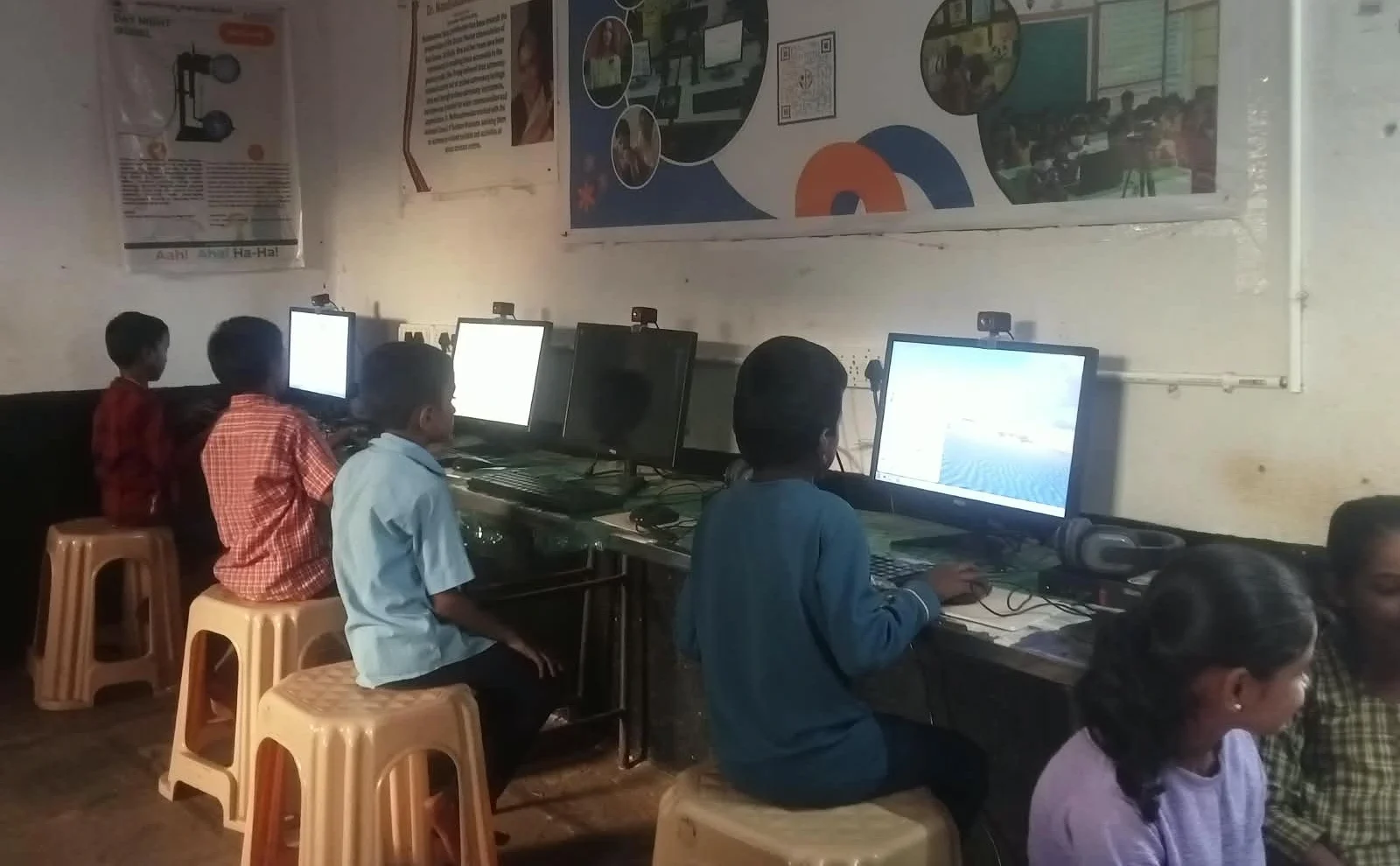
A balanced computer configuration matters far more than having maximum RAM. Your student computer needs three things working together: decent RAM, fast storage, and an efficient operating system. The Apna PC, designed by Apni Pathshala, follows this principle perfectly with 8GB RAM, 128GB SSD, and Zorin OS.
This combination handles all student tasks smoothly. Your child can attend online classes, complete coding assignments, watch educational videos, and prepare for entrance exams without any lag. The fast SSD ensures applications launch instantly. The clean Zorin OS runs without bloatware. The 8GB RAM provides sufficient workspace. Everything works together efficiently.
Compare this to a computer with 16GB RAM but a slow HDD and cluttered Windows installation. That computer will feel slower, even with double the RAM. Performance is not about one component. It is about balance and optimisation.
Why 16GB RAM for Students Is Usually Unnecessary

Professional video editors, graphic designers, and software developers need a lot of RAM. They work with massive files and run resource-intensive applications. Your student isn’t doing that kind of work. Your student is studying, not creating professional content. A student’s tasks are light and don’t require 16GB of RAM.
If your child wants to upgrade later, they can. But forcing extra RAM into a computer now is like buying a car with a 200-litre fuel tank when your daily commute uses only 10 litres. The extra capacity sits unused, and you paid for what you don’t need. You could have spent that money on a faster SSD or a better processor instead.
The Smart Choice for Your Student’s Computer
When choosing a personal computer for your child, prioritise these factors in this order: fast storage (SSD), an efficient operating system, a decent processor, and adequate RAM. Do not chase the highest RAM number. Instead, choose a balanced configuration that handles real student workloads smoothly.
As part of the Digital India initiative, affordable educational computers are now available that follow this smart design philosophy. These computers are built specifically for students, not for maximum specifications on paper. They are built for actual performance in real classrooms and homes.
The next time a shopkeeper tells you that more RAM for students means a better computer, remember Rahul’s story. His mother learned that specifications don’t equal performance. If you are considering whether to upgrade RAM before replacing the computer, the answer is usually no. Choose the right balanced computer first. Your student’s learning experience depends on real-world performance, not impressive specification sheets.
Stop overthinking computer specifications and start thinking about what your student actually needs. Visit apnapc.com to learn more.