


A Student’s Big Idea: Starting a School Newsletter on a Computer
Ravi sits in his classroom in Indore and looks around. His school has talented writers, amazing artists, and students doing cool projects. But nobody knows about any of it. There’s no way to share these stories. He wonders: could he start a student newsletter on a computer to change this?
You might feel the same way. Your school probably has incredible things happening every day that nobody outside the classroom sees. A student newsletter on a computer is the perfect way to share these stories with your whole school community. It’s easier than you think, and you don’t need expensive software or fancy equipment.
Why Your School Needs a Student Newsletter on a Computer
A student newsletter on computer brings your school community together. Parents get to see what their kids are learning. Teachers get recognition for their hard work. Students feel proud when their writing and projects get published.
Digital publishing through a newsletter also helps you develop real skills. You’ll learn to write clearly, organize information, and design pages that look professional. These aren’t just school skills. They’ll help you in college and later in your career.
Your newsletter can cover sports updates, club activities, exam tips, student interviews, and achievements. You can include funny stories, artwork, photography, and announcements. The possibilities are endless with the right tool.
Getting Started: What You Need
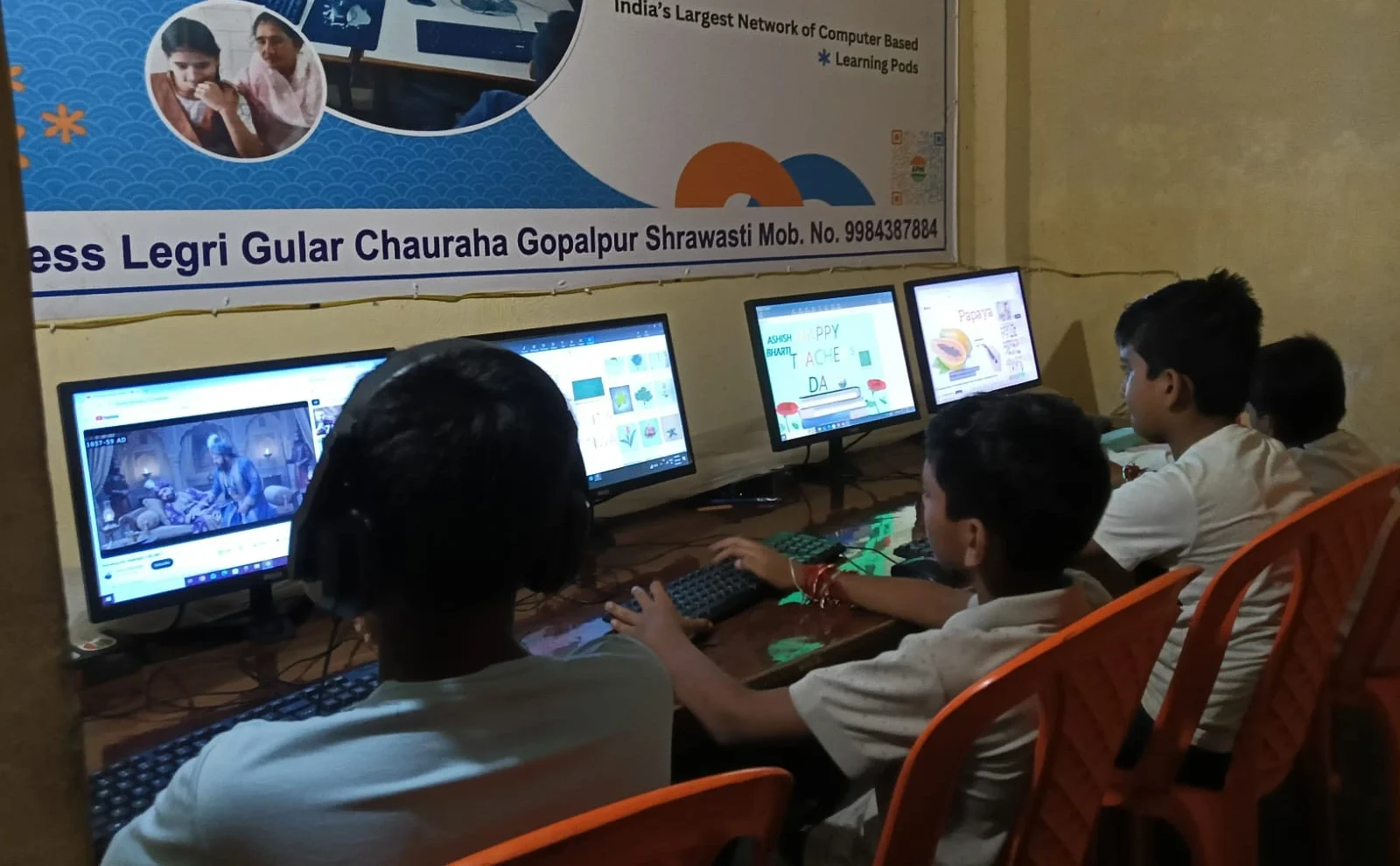
You don’t need a fancy setup for a student newsletter on a computer. You need a reliable computer with good software. The Apna PC is designed exactly for this kind of work.
Apna PC comes with LibreOffice, which is perfect for creating newsletters. It’s free, powerful, and works like Microsoft Office. You can create professional-looking documents with columns, images, and formatted text. The 8GB RAM means your computer won’t slow down on bigger projects.
The 128GB SSD gives you plenty of space for newsletter files, photos, and archives. You can save multiple issues without worrying about running out of space. The computer comes pre-loaded with Zorin OS, which is easy to use and very reliable for student projects.
Software Tools for Creating Your Newsletter
LibreOffice Writer is your main tool. It’s included on Apna PC, and it’s completely free. You can create templates, add images, use different fonts, and organise your content professionally.
You can also use LibreOffice Calc to track your subscriber list and article ideas. This helps you stay organised as your newsletter grows. Creating digital posters to promote your newsletter is simple too. You can design eye-catching announcements to put around school.
If you want to make your newsletter even more interesting, you can include videos. Learning how to make educational videos is a great skill. You can film student interviews, school events, or quick tips and include links in your newsletter.
Step-by-Step: Creating Your First Issue
Start by deciding what stories you want to tell. Interview students about their hobbies, talk to teachers about upcoming lessons, or cover recent school events. Write down at least five story ideas for your first issue.
Next, create a template in LibreOffice. Include a title section at the top, space for a main story, smaller sections for other news, and a footer with contact information. Don’t make it too complicated. Clean and simple designs are easier to read.
Gather your content. Ask friends and classmates to write short pieces. Collect photos from school events. Make sure you have permission before using anyone’s photo or name. This teaches you about responsibility and respect.
Finally, format everything in your template. Add headlines, organise the text into columns, and place images nicely. Save your file and share it with teachers and parents.
Building Your Newsletter Team
You don’t have to do everything alone. Find friends who like writing, design, or photography. Divide the work so everyone has a job. One person can handle interviews, another can manage photos, and someone else can design the layout.
Your newsletter team will learn teamwork and communication skills. You’ll discover who’s good at writing headlines, who can take great photos, and who’s organised enough to manage deadlines. These are valuable lessons for any student.
Meet regularly to plan upcoming issues. Decide on themes, assign stories, and set deadlines. Even 30 minutes a week of planning can keep your newsletter on track and make it better each month.
Sharing Your Student Newsletter on Computer
Once you’ve created your newsletter, you need to share it. Email is the simplest way. Ask your school for permission to send it to parents and staff. You can also print copies and put them on bulletin boards around school.
Some schools have websites or social media pages where you can post your newsletter. The Digital India initiative encourages schools to use technology for sharing information. Your newsletter is a perfect example of this.
You can also create a shared folder on your school’s system where people can download the latest issue. This makes it easy for anyone to access your work anytime.
Learning Skills That Matter
Creating a newsletter teaches you so much more than just publishing. You’ll learn writing skills, design principles, and how to work with others. You’ll understand deadlines and responsibility. You’ll get comfortable using professional software.
These skills connect to what you’re learning in class. English class teaches you writing. Art class teaches you design. Computer class teaches you software skills. Your newsletter brings it all together in something real and useful. Resources like the DIKSHA digital learning platform can also help you improve your editorial skills.
Many students discover they love journalism or communications through starting a newsletter. Some realise they’re great designers. Others find they love interviewing people and telling stories. Your newsletter could be the start of something bigger for your future.
Why Apna PC is Perfect for Your Newsletter Project
Apna PC is built for students like you. It’s affordable at Rs.30,000, which is reasonable for a quality educational computer. It’s not too expensive for your family, and it’s powerful enough for all your projects.
The computer comes with everything you need already installed. You don’t have to figure out what software to download or worry about viruses. Zorin OS is secure and student-friendly. Apni Prerna helps parents and teachers track your progress. LibreOffice is ready to go for your newsletter work.
The 8GB RAM and 128GB SSD mean your computer will run smoothly when you’re working on newsletters, editing photos, or creating videos. You won’t get frustrated waiting for things to load. You can focus on your creative work instead.
Starting a student newsletter on a computer is totally doable. You just need the right equipment, some creative friends, and a willingness to try something new. Your school has amazing things happening every day. Your newsletter makes sure everyone knows about them. Visit apnapc.com to learn more.