


Rajesh’s Dilemma: Why His Daughter Couldn’t Submit Her School Project
Last month, Rajesh sat in his small apartment in Indore watching his 12-year-old daughter Priya stare at her computer screen with tears in her eyes. Her school project was due in two hours, but she couldn’t upload it to the online portal. Rajesh didn’t know how to connect the computer to WiFi. His neighbours had a router, but he had never learned the simple steps. That day, Priya submitted late and lost marks. This story repeats in thousands of Indian homes where parents and students don’t know basic computer skills like setting up an internet connection.
Your child’s education now depends on knowing how to connect a computer to WiFi. Online classes, digital assignments, and research work all need this skill. If you can’t help your child set up WiFi, you’re limiting their learning potential in ways you might not realise.
Why Every Student Should Connect Computer to WiFi Themselves
Schools across India now use online platforms for learning. Your child needs to access the DIKSHA digital learning platform for lessons. They submit assignments through Google Classroom or school portals. Without knowing how to connect a computer to WiFi, your student will fall behind their classmates.
The Indian Ministry of Education has pushed digital learning as the future of schooling. Your child’s teachers expect them to be online. They expect your family to have a working internet connection. But connection is only half the battle – your student must know how to set it up themselves.
Think about what happens when you’re not home. Your child needs to submit an assignment, but the WiFi connection drops. If they don’t know how to reconnect, the work doesn’t get submitted. Independence in technology is independence in education.
How to Connect Computer to WiFi: Step-by-Step Setup
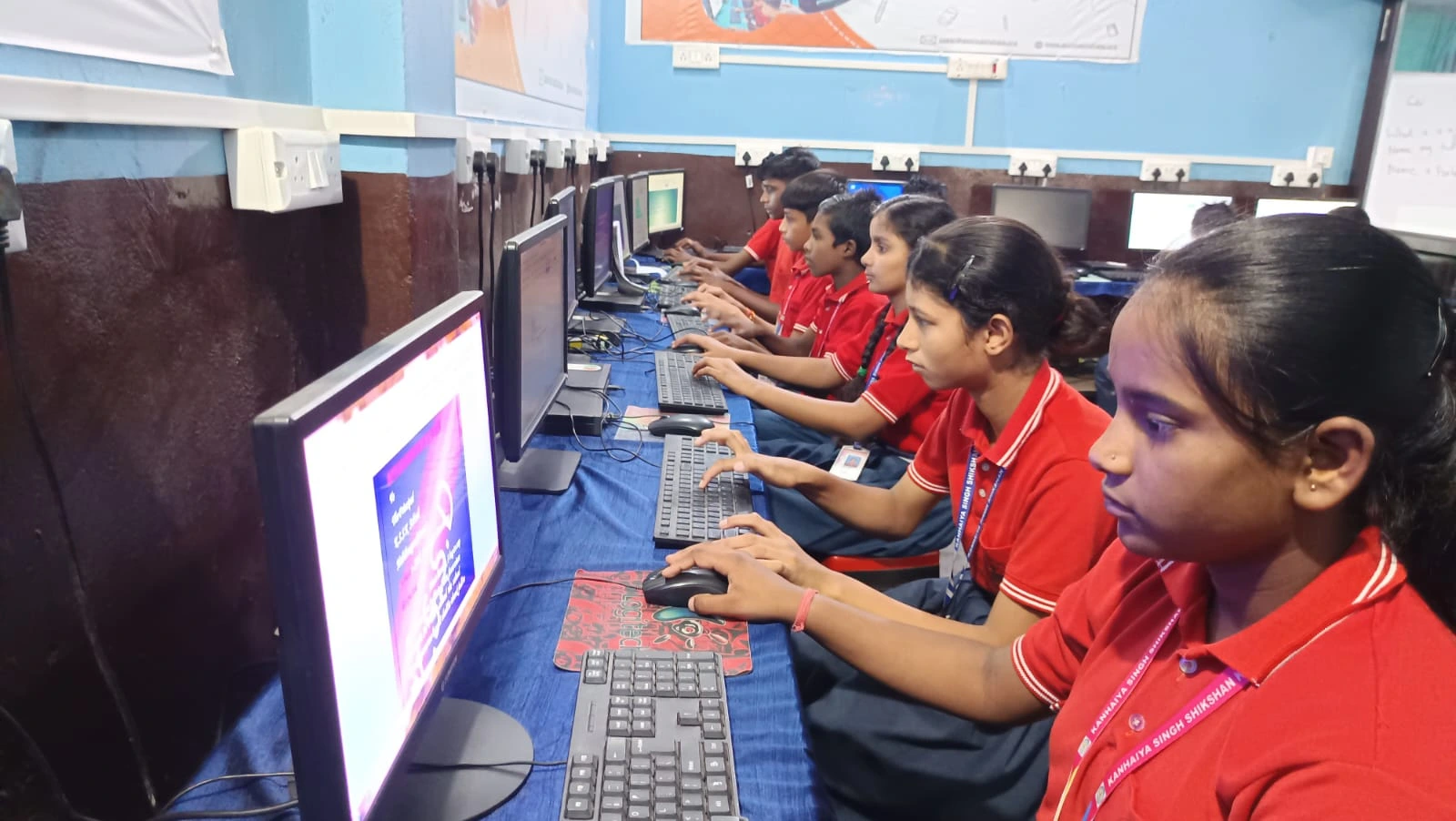
Here are the basic steps every student should know:
- Find available networks: Click the WiFi icon in your taskbar. Your computer will show all nearby networks with their names.
- Select your network: Choose your home WiFi name from the list. Your password protects this connection.
- Enter the password: Type your WiFi password carefully. Passwords are case-sensitive, so capital letters matter.
- Connect and verify: Once connected, your computer shows a connected symbol. Open a browser and visit any website to confirm internet access.
- Remember for the future: Your computer saves the connection. Next time, it connects automatically when the network is available.
These five steps take less than two minutes to teach. But they offer a lifetime of benefits for your child’s education.
How Computer Basics Build Your Child’s Confidence
When your student knows how to connect a computer to WiFi, something shifts in their mind. They realise technology isn’t magic – it’s learnable. This confidence spreads to other computer skills like typing, using software, and troubleshooting problems.
Students who understand basic computer operations perform better in school. They explore educational resources without waiting for adults. They learn to solve small technical problems independently. These are life skills that matter beyond just schoolwork.
Apni Pathshala believes every student deserves access to quality computer education. Your child needs both the hardware and the knowledge to use it effectively.
The Right Computer Makes Learning Easier
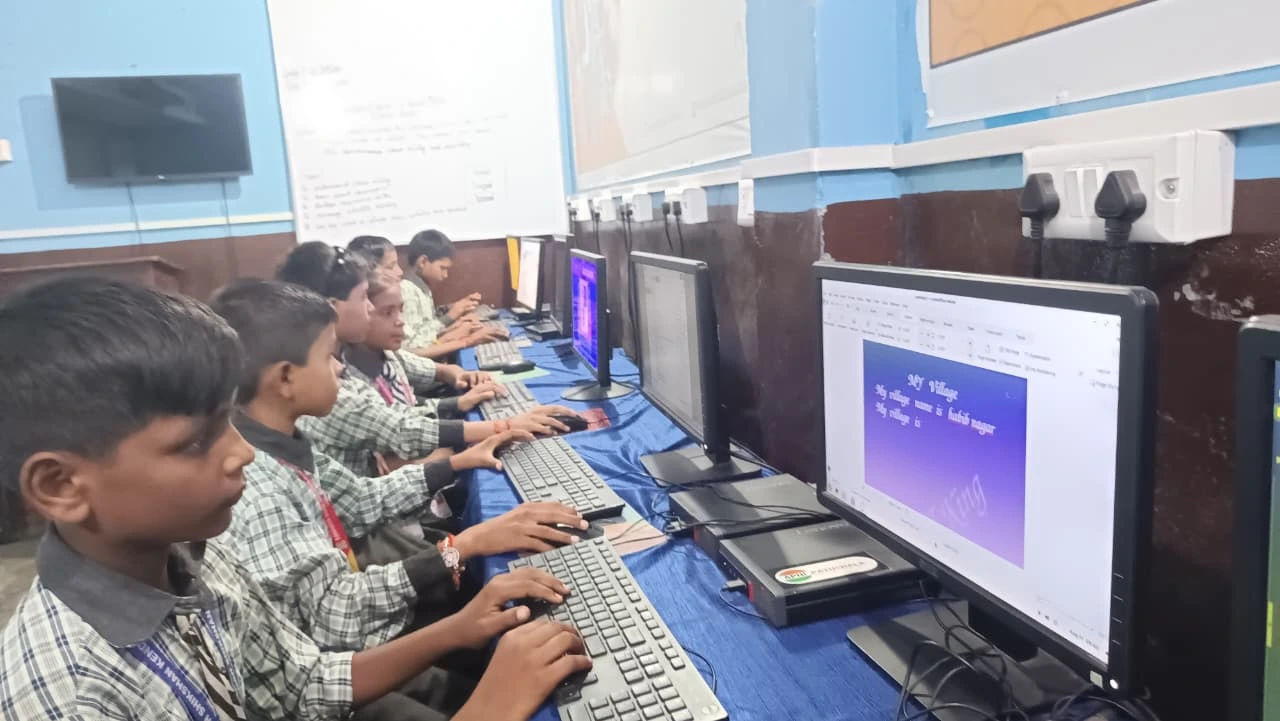
A good educational computer removes barriers to learning. The Apna PC is designed specifically for students in Tier 2 and Tier 3 cities across India. It comes pre-loaded with everything your child needs – from Zorin OS to LibreOffice to Scratch programming software.
At just Rs.30,000 (shipping and GST excluded), this computer puts quality education within reach. It has 8GB RAM and 128GB SSD storage – enough for all your child’s schoolwork and projects. The system includes Apni Prerna, which helps you monitor your child’s learning progress.
But the computer is only useful if your child knows how to use it. That means knowing how to connect to WiFi. That means understanding basic troubleshooting. That means building real computer literacy.
Internet Connection and Data Concerns for Indian Families
Many parents worry about internet costs and data limits. Good news: Home WiFi uses your broadband connection, not mobile data. Once you have a home WiFi network, your child can learn without using expensive mobile data.
If you’re concerned about data usage, a computer with proper WiFi setup helps you save mobile data while learning. Your child uses WiFi instead of 4G or 5G. Your monthly bills stay manageable.
Understanding Wi-Fi technology helps you make smart choices about your family’s internet needs. You know what speed you need. You know how many devices can connect. You become an informed consumer instead of just paying whatever the provider charges.
Start Teaching Your Child Today
Don’t wait for your child to struggle as Priya did. Sit down this week and walk them through the WiFi connection steps. Show them the steps. Let them practice. Answer their questions patiently.
Your child’s future depends on digital skills. The foundation starts with something as simple as connecting to the internet. Each skill builds on the last. Every success builds confidence for the next challenge.
When your student knows how to connect a computer to WiFi, they know they can learn technology. They know they can solve problems. They know they can keep up with their classmates. That’s the real gift of teaching basic computer skills.
Your child deserves access to quality education and the technology to support it. The Apna PC makes that possible at a price that fits your budget. Visit apnapc.com to learn more.