

Saturday Morning, No Plans, One Computer
It’s the weekend. Your child has finished their homework (or at least says they have). The TV is on, the phone is out, and the next few hours are going to disappear into YouTube shorts and Instagram reels.
Unless you give them something better to do.
An Apna PC sitting on the desk isn’t just a study machine. It’s a creation station waiting to be used. And with the right nudge, your child can build something genuinely cool before lunch. Here are ten ideas to get them started.
1. Design a Family Newsletter
Open LibreOffice Writer and challenge your kid to create a one page newsletter about your family. What happened this week? What’s coming up? Who said the funniest thing at dinner?
They’ll practice typing, formatting, and organizing their thoughts. Plus you get a hilarious document to share with relatives on the family WhatsApp group. Win win.
2. Build a Quiz Game in Scratch
Scratch is already installed on every Apna PC. Your child can create a quiz about any subject they want. Science questions? Cricket trivia? Bollywood movie facts? The possibilities are endless.
They’ll learn basic programming logic (if/then statements, variables, loops) without even realizing they’re coding. According to UNESCO, visual programming tools like Scratch are one of the most effective ways to introduce computational thinking to young learners.
3. Create a Digital Birthday Card
Got a family member’s birthday coming up? Open Tux Paint or even LibreOffice Draw and let your child design a card. They can add text, drawings, colors, and patterns. Print it out or email it. Either way, it’s personal and they made it themselves.
4. Start a Personal Blog or Diary
Show your child how to create a document and just write. About their day. About their friends. About that weird dream they had. It doesn’t need to be published anywhere. The act of typing out their thoughts regularly builds writing skills, self expression, and typing speed all at once.
5. Make a Presentation About Something They Love
Cricket? Dinosaurs? K pop? Whatever your kid is obsessed with, challenge them to make a five slide presentation about it in LibreOffice Impress. They’ll research, organize information, choose images, and present it to you after dinner.
You might learn something too. Did you know T Rex had feathers? Neither did we.
6. Draw a Comic Strip
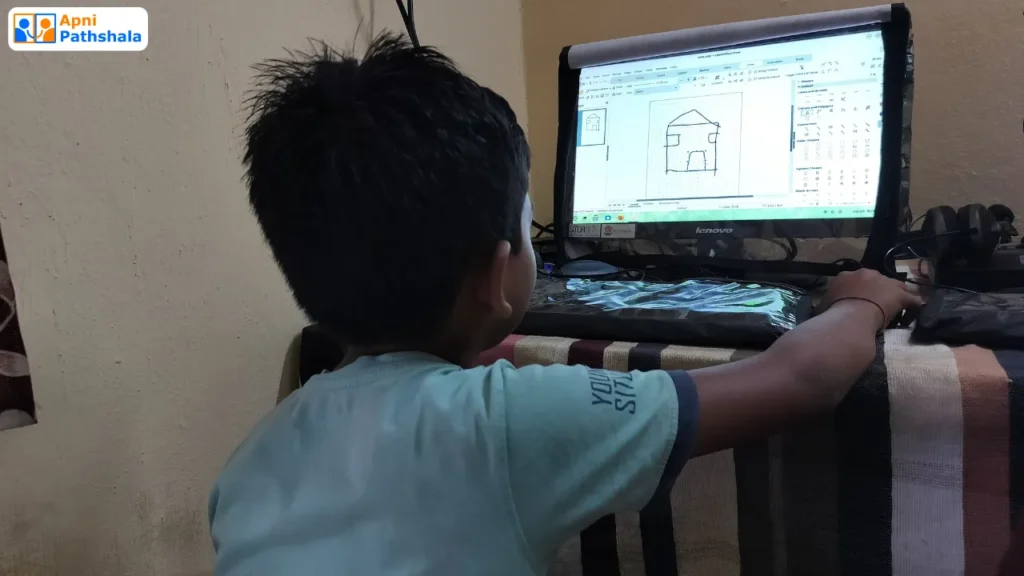
Using Tux Paint or any drawing tool, your child can create a short comic strip. Three to four panels telling a story. It’s creative, it’s fun, and it teaches visual storytelling. Some of the best student submissions we’ve seen from Apna PC users have been hand drawn comics about school life.
7. Learn to Type Properly
There are free typing tutors built into Zorin OS. A weekend is plenty of time to go from “hunting and pecking” to actually typing with all ten fingers. Set a challenge: can they hit 30 words per minute by Sunday night? Make it a competition with siblings.
8. Create a Budget for Their Pocket Money
Open LibreOffice Calc and help your child set up a simple spreadsheet tracking their pocket money. Income, expenses, savings. It sounds boring, but kids actually get excited about it when they see the numbers add up. You’re teaching financial literacy through a practical project.
9. Record a Voice Presentation
Using the built in sound recorder and a slideshow, your child can create a narrated presentation. It’s like making their own YouTube video without needing a camera. Great practice for public speaking and explaining ideas clearly.
According to NCERT, presentation skills are a key component of the modern curriculum. This activity covers that in the most engaging way possible.
10. Research and Plan a Family Trip
Give your child a mission: plan a family vacation. Where would we go? How much would it cost? What would we see? They can use the browser to research destinations, calculate rough budgets in a spreadsheet, and present their plan to the family.
Even if you don’t actually take the trip, the research and planning skills they develop are incredibly valuable. Plus, you might discover your eight year old has excellent taste in vacation spots.
The Point Isn’t the Project. It’s the Habit.
Each of these activities takes one to two hours. None of them require an internet connection (except the last one). All of them build skills that matter.
But here’s the bigger picture. When you give your child something productive to do on the computer every weekend, you’re building a habit. The computer stops being “the thing I use for school” and becomes “the thing I use to create stuff.”
That mindset shift is everything. And it starts with one weekend, one project, and one Apna PC that’s ready to go.
So this Saturday, instead of letting the screen time go to waste, try one of these projects. You might be surprised at what your child creates. And they might surprise themselves too.