

A parent gave their child a computer for school. Three months later, they realized the child had been on YouTube for six hours every day. Not learning. Just watching. No way to know. No way to stop it.
This is not a rare story. It is the fear that stops many parents from getting their child a computer at all.
That fear is valid. And it has a real solution.
The Real Problem With Giving Kids a Computer
A computer is an open door to the entire internet. That is its power and its problem.
For a student, the internet contains everything they need: tutorials, practice problems, educational videos, and research materials. It also contains everything they do not need: addictive games, inappropriate content, social media rabbit holes, and hours of distraction.
Left without any structure, most children will naturally drift toward what feels good in the moment. Not because they are bad students. Because they are children.
Parents who give their child a computer without any oversight are not being generous. They are handing over a loaded distraction machine and hoping for the best. The result is predictable.
What Is Apni Prerna
Apni Prerna is parental control software designed specifically for student computers. It comes pre-installed on every Apna PC, which means parents do not need to find it, download it, or figure out how to set it up. It is there from day one.
Apni Prerna stands for Progressive & Responsible Environment for Nurturing Advanced Growth. The idea behind it is simple: give parents the tools to make the computer a place of real learning, not uncontrolled browsing.
What Apni Prerna Actually Does
Screen Time Management
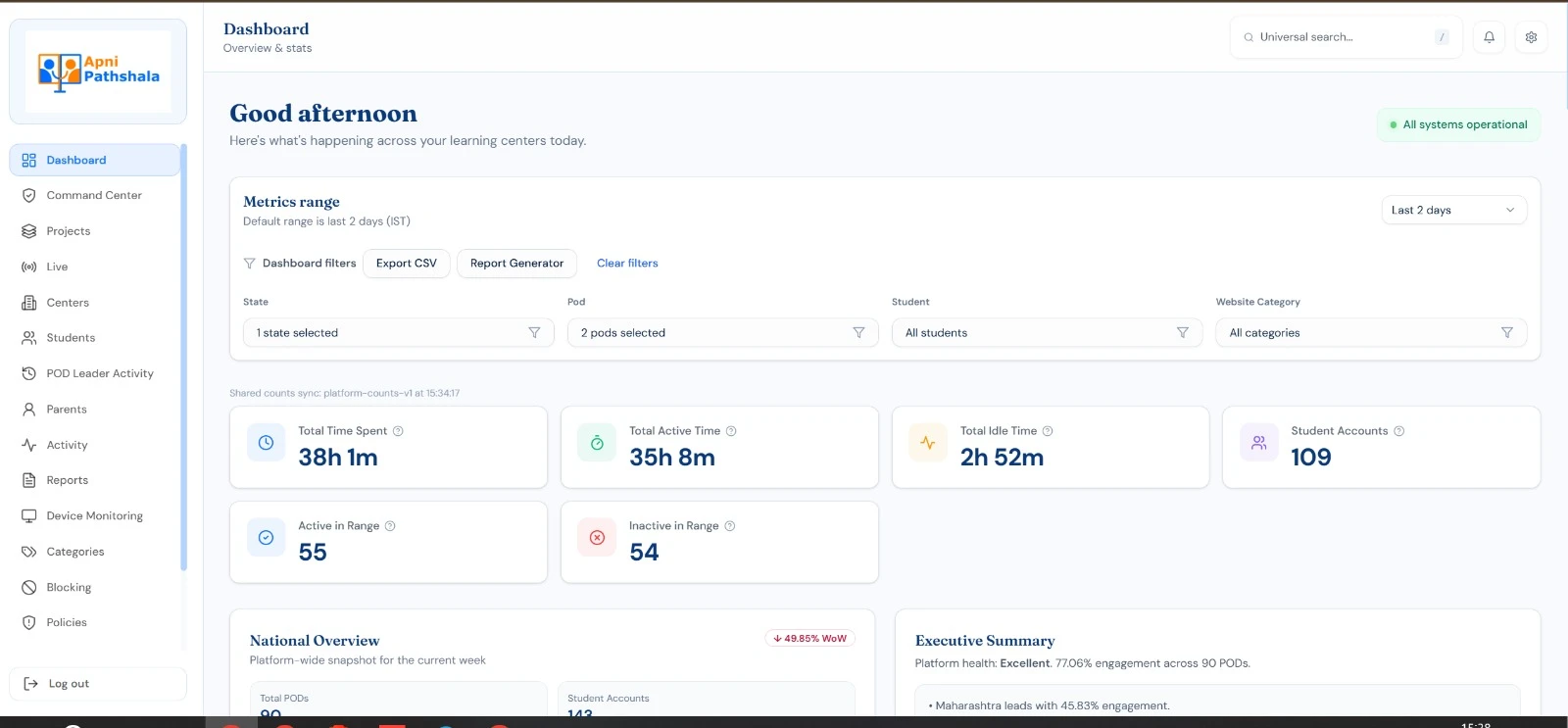
Parents can set daily time limits on computer use. When the limit is reached, the session ends. No arguing, no negotiating, no “just five more minutes.” The rules are set once and enforced automatically.
This matters for younger students, especially. A Class 6 student does not need four hours on a computer after school. One structured hour of learning is more valuable than four hours of drifting.
Website Blocking
Specific websites can be blocked entirely. Social media. Gaming sites. Anything a parent decides is not appropriate during study time. The list is customizable, so parents decide what is right for their family, not a generic algorithm.
A student preparing for board exams does not need access to social media on their study computer. Apni Prerna makes that simple to enforce.
Activity Monitoring
Parents can see what their child has been doing on the computer. Not to spy, but to understand. If a child is spending time on the right things, great. If they have found a way around the limits, parents can see it and address it.
Monitoring is not about distrust. It is about staying involved in your child’s digital life the same way you would stay involved in any other part of their learning.
Safe Internet Access
Beyond specific blocks, Apni Prerna creates a safer browsing environment overall. It is designed to work with the way students actually use computers, not as a frustrating obstacle but as a sensible guardrail.
The goal is not to lock the computer down completely. A computer with zero internet access is not useful for learning. The goal is to make internet access purposeful rather than unrestricted.
Why Apni Prerna Comes Pre-Installed on Apna PC
The reason Apni Prerna is built into every Apna PC is straightforward. A student computer without parental controls is incomplete.
Giving a child a computer for learning and then providing no structure is like giving them a library card and leaving them unsupervised in a building that has both textbooks and slot machines. The textbooks are there. But so is everything else.
Pre-installing Apni Prerna means parents do not have to be technical experts to keep their child safe. The protection is already there. They just need to configure their preferences. Learn more about how the whole system works: Apna PC features and software.
What Real Learning Time Looks Like With Apni Prerna
Students who use computers with proper structure build better habits than those with no limits. This is not surprising. Structure helps children of all ages focus.
A child who knows the computer turns off after an hour of study time is more likely to actually study during that hour. A child with unlimited, unmonitored access often procrastinates and wastes the time.
The software does not do the learning. But it creates the conditions where learning happens. Students across India are building real skills because their families found the right tool and the right structure. Read their stories here.
Honest Limits: What Apni Prerna Cannot Do
Apni Prerna is a tool, not a replacement for parenting. A child who is determined to get around any system will find ways. No software is a substitute for conversation, involvement, and trust-building with your child.
Use Apni Prerna as a support structure, not a babysitter. Stay curious about what your child is doing on the computer. Ask them. Show interest. The software handles the automatic limits; the relationship handles the rest.
Also, the software works best when the rules it enforces make sense to the child. An hour of focused learning time is easy for a child to accept when they understand why it exists. Unexplained blocks create resistance. Explained rules create cooperation.
Why Parents Trust Apni Prerna
Apni Prerna removes the biggest fear that stops parents from giving their child a computer. You are not handing over an unsupervised machine. You are giving a learning tool with sensible, customizable guardrails built in from the start.
That changes the conversation entirely. Instead of “should I get my child a computer?” the question becomes “when do I start?”
Combined with Zorin OS and pre-installed educational software, an Apna PC is a complete learning environment designed for students and peace of mind for parents.
Give your child safe, structured access to learning. Buy Apna PC today. Apni Prerna comes pre-installed.