


When Rajesh’s Daughter Needed a Computer: A Delhi Parent’s Dilemma
Rajesh, a software engineer from Delhi, faced a choice that thousands of Indian parents face every year. His daughter Priya, now in class 9, needed a computer for her studies. The laptop he’d bought five years ago was gathering dust, and a new one felt out of reach. One Sunday afternoon, sitting in a South Delhi café, Rajesh’s friend mentioned two words that changed everything: “assembled PC vs branded PC.” Rajesh didn’t know the difference, and he certainly didn’t know which one was right for Priya’s studies.
If you’re a parent in a tier 2 or tier 3 Indian city facing the same choice, you’re not alone. Choosing between an assembled computer and a branded desktop can feel overwhelming, especially when you’re balancing cost, quality, and your child’s educational needs. This guide will help you understand what matters most.
What’s the Real Difference Between Assembled and Branded PCs?
A branded PC comes from companies like Dell, HP, or Lenovo. You buy the entire system as one complete package, with a warranty that covers everything. When something breaks, you contact the brand’s service centre, and they handle it.
An assembled computer is different. A local technician buys individual parts (motherboard, processor, RAM, storage) from the market and puts them together. You get a machine built to your exact specifications, often at a lower price. The catch? Your warranty is split across different parts, and support depends on your local technician’s reliability.
Here’s what matters for your child’s education:
- Cost: Assembled PCs are typically 20-30% cheaper than branded alternatives with similar specs
- Support: Branded PCs offer centralised customer service; assembled PCs depend on your local technician
- Durability: Both can last 4-5 years with proper care, but branded PCs come with manufacturer guarantees
- Software: Branded PCs usually come with Windows; assembled systems often run free operating systems
Why Your Child’s Education Isn’t Just About Hardware
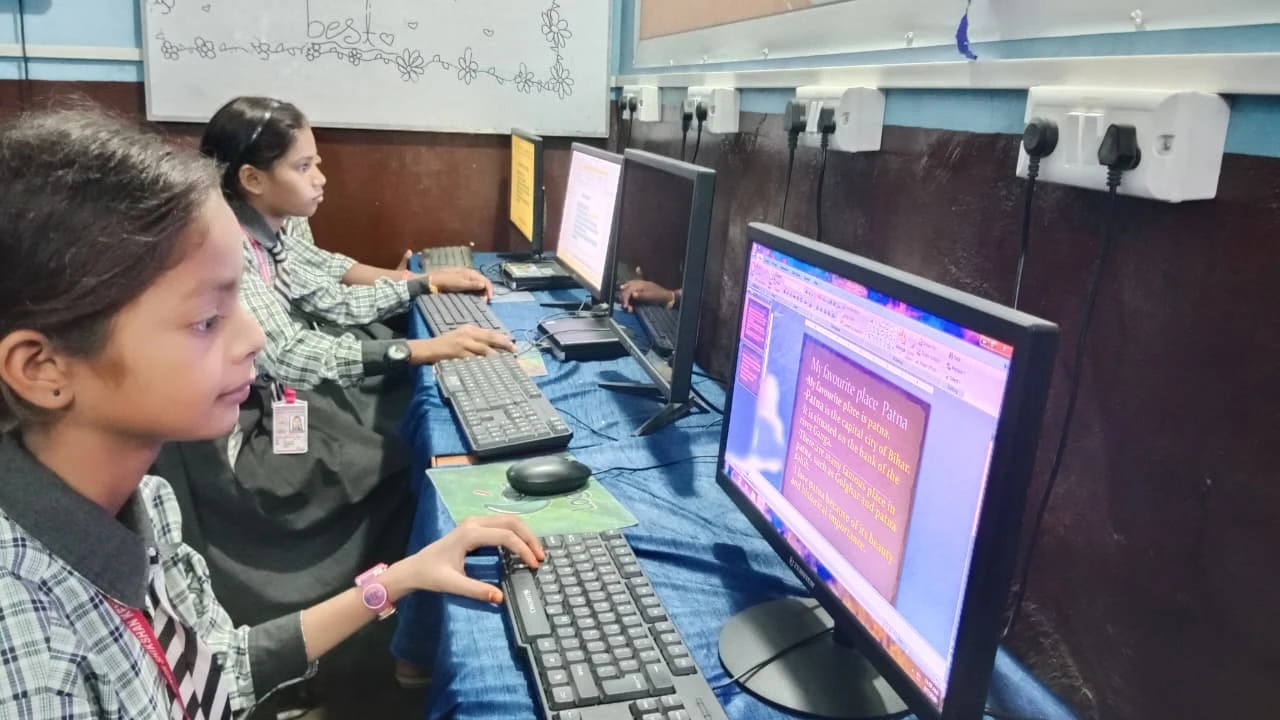
When you’re choosing between an assembled computer and a branded desktop for your child, don’t focus only on the processor speed or RAM size. What your child actually needs depends on what they’ll do on the computer. Will they watch online classes? Write assignments? Use coding software like Scratch? Play educational games?
Most students in classes 6-12 need a computer that can handle web browsing, document editing, video conferencing, and basic coding. They don’t need the latest gaming machine. A mid-range computer with 8GB RAM and a solid-state drive (SSD) is more than enough.
This is where the choice becomes clearer. You’re not paying for gaming power or professional design tools. You’re paying for reliability, support, and a system that won’t crash during an important online exam or project deadline.
The Hidden Costs You Should Know About
When parents compare prices, they often see a lower number for assembled computers and stop there. But you may not see all the costs right away. If your assembled PC breaks six months after purchase, you’ll need to find your technician, wait for repairs, and possibly buy replacement parts out of pocket. That downtime during exam season could hurt your child’s studies.
Branded PCs come with on-site service in most Indian cities. If your Dell or HP fails, a technician comes to your home. You’re paying for peace of mind and convenience, not just the machine itself.
There’s also the software question. Branded PCs come with Windows, which costs money to buy separately if you choose an assembled computer. Free alternatives like Linux exist, but your child might need Windows for specific school software or entrance exams.
What About Apna PC? A Third Option Built for Indian Students
There’s another choice you should know about. Apna PC is an educational computer designed specifically for Indian students, created by the wider Apni Pathshala initiative. At Rs.30,000 (before shipping and GST), it sits between a cheap assembled computer and an expensive branded laptop.
Here’s what you get with Apna PC: 8GB RAM, 128GB SSD storage, pre-loaded with Zorin OS (a free, easy-to-use operating system), LibreOffice (for documents and spreadsheets), Scratch (for coding), and Apni Prerna (which helps you monitor your child’s learning). Everything your child needs for studies is already installed and ready to use.
Unlike a basic assembled computer, Apna PC comes with proper support and an educational focus. Unlike expensive branded desktops, you’re not paying for features your child doesn’t need. Check our all-in-one vs desktop guide to see how different form factors compare.
How to Choose: A Simple Framework for Parents
Ask yourself these questions to decide what’s right for your family:
- Can you afford a branded PC? If yes, and you want guaranteed support, choose a branded desktop from a reliable brand like Dell or HP
- Do you have a trustworthy local technician? If yes, and you want to save money, an assembled computer might work
- Is your child’s school using specific software? Check with the school about system requirements before you buy anything
- How important is support to you? If your child has exams coming up, downtime is costly. Prioritise support over saving Rs.5,000
For most parents in tier 2 and tier 3 cities, the real question isn’t “assembled or branded.” It’s “what does my child actually need, and what can I afford to maintain?” An assembled computer might save you Rs.10,000 today but cost you Rs.15,000 in repairs next year. A branded PC costs more upfront but gives you peace of mind.
Real Tools Your Child Will Actually Use
Whatever you choose, make sure your child can access learning platforms like the DIKSHA digital learning platform and resources recommended by CBSE. These work on any computer with a decent internet connection.
Your child will also benefit from free tools like Scratch for coding, LibreOffice for writing, and Google Classroom for submitting assignments. These don’t require expensive hardware. They just need a reliable computer that won’t let your child down during important moments.
What Rajesh Finally Chose
After two weeks of research, Rajesh chose an Apna PC for Priya. He liked that it was built for students, came with educational software already installed, and was affordable. More importantly, he felt confident that if something went wrong, he had support. Priya started using it immediately for her online classes and coding assignments.
Six months later, when Priya’s school switched to a new learning management system, Apna PC handled it without any issues. Rajesh’s initial worry about choosing the “right” computer faded. What mattered was that Priya could focus on her studies, not on whether her machine would work.
Your situation might be different. Your budget might be higher or lower. Your child’s needs might be different. But the principle remains the same: the best computer for your child is the one that’s reliable, fits your budget, and comes with support you can trust. Don’t get caught up in comparing processor generations or RAM speeds. Focus on what your child needs to learn and grow. Visit apnapc.com to learn more.